
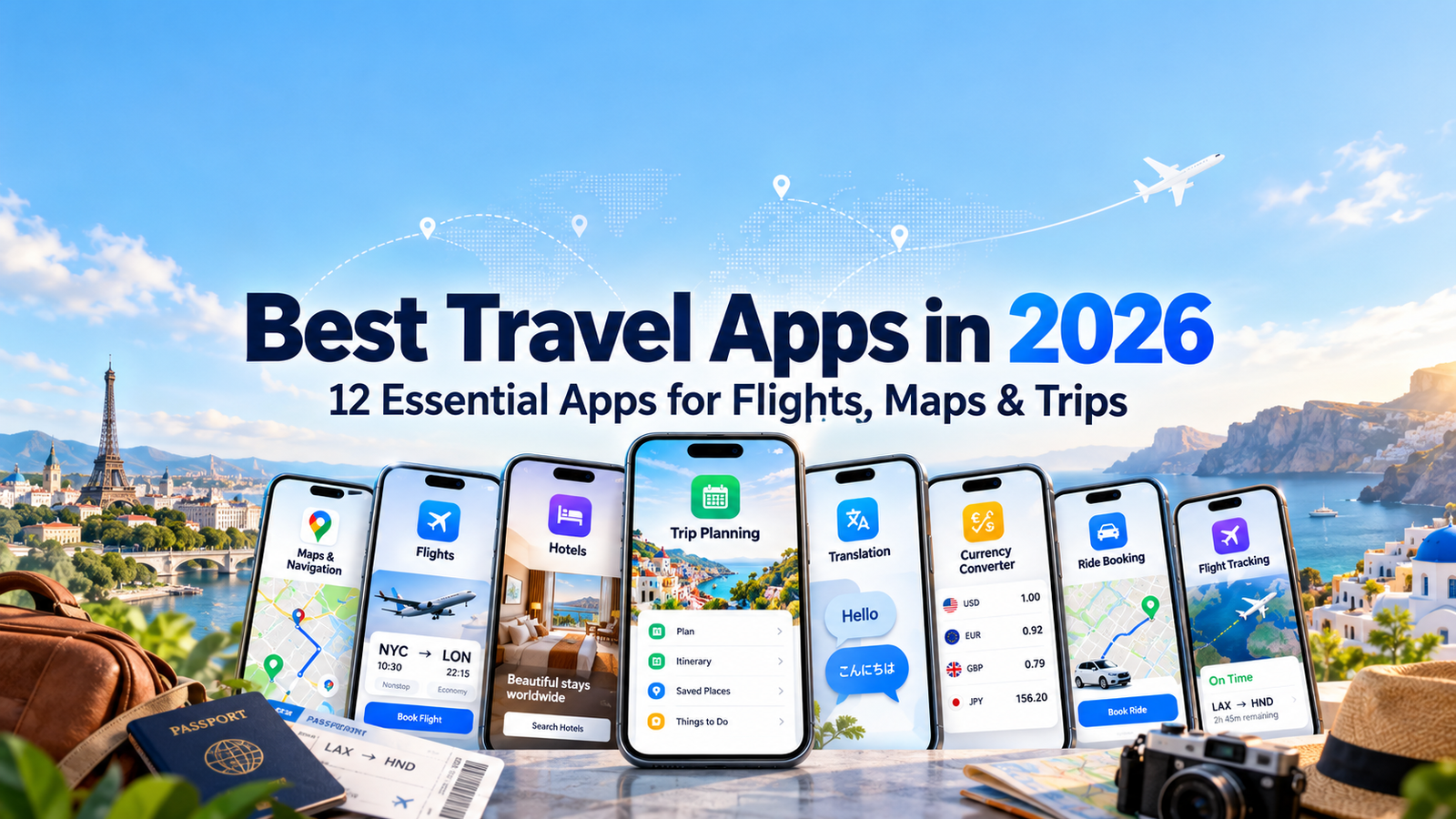
Traveling in 2026 is easier than ever when the right apps are already installed on your phone.
A single smartphone can now help you compare flights, organize reservations, navigate unfamiliar cities, translate signs, check exchange rates, track aircraft, book accommodation, plan transportation, and arrange rides from the airport.
The challenge is choosing which apps are actually useful.
Installing too many overlapping travel tools can make a trip more complicated rather than simpler. The better approach is to choose a small collection of apps that solve different parts of the journey.
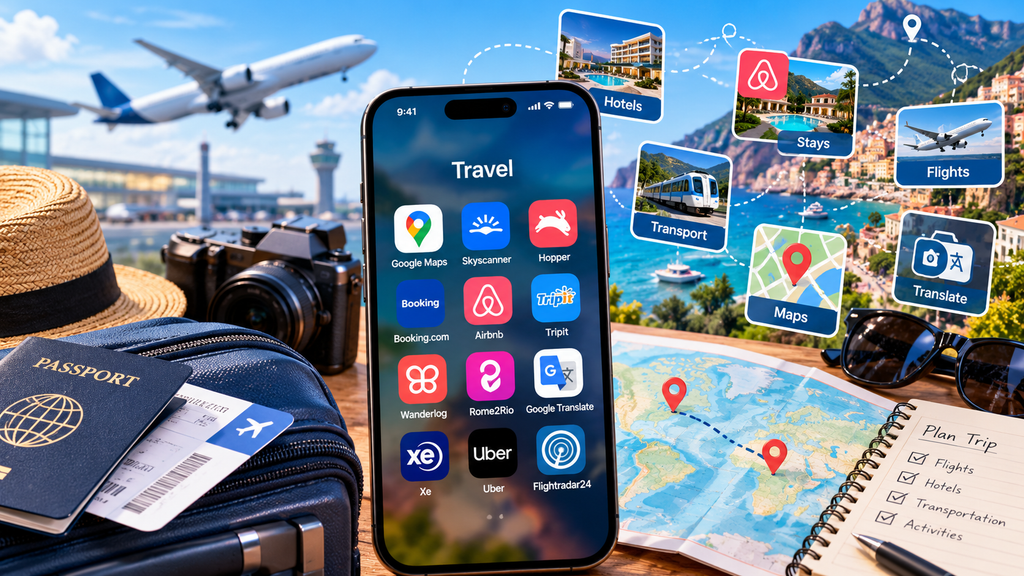
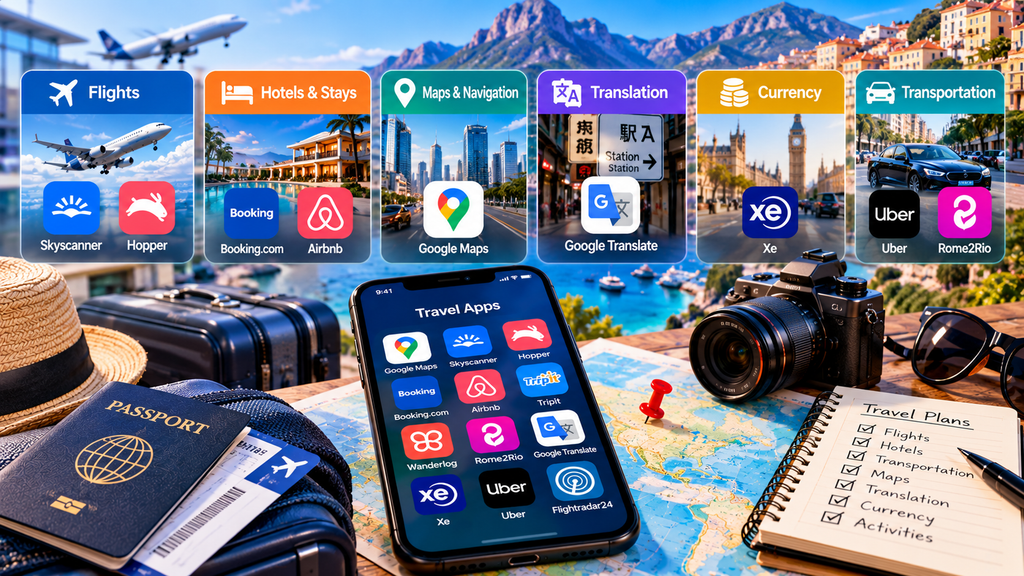
This guide covers 12 of the best travel apps in 2026 for planning, flights, accommodation, maps, transportation, translation, currency conversion, and trip organization.
Table of Contents
Best Travel Apps in 2026: Quick Overview
| App | Main Use | Platforms | Free Option | Best Fit |
|---|---|---|---|---|
| Google Maps | Navigation | iOS, Android | Yes | Maps, directions and offline navigation |
| Skyscanner | Flight comparison | iOS, Android | Yes | Comparing flights, hotels and cars |
| Hopper | Travel pricing | iOS, Android | Yes | Flight and hotel price tracking |
| Booking.com | Accommodation | iOS, Android | Yes | Hotels, apartments and travel bookings |
| Airbnb | Stays and experiences | iOS, Android | Yes | Vacation rentals and local experiences |
| TripIt | Itinerary management | iOS, Android | Yes | Organizing reservations |
| Wanderlog | Trip planning | iOS, Android | Yes | Itineraries, routes and collaborative planning |
| Rome2Rio | Transport comparison | Mobile/Web | Yes | Comparing ways to travel between places |
| Google Translate | Translation | iOS, Android | Yes | Language and camera translation |
| Xe | Currency conversion | iOS, Android | Yes | Exchange rates and currency calculations |
| Uber | Local transportation | iOS, Android | Yes | Airport and city rides |
| Flightradar24 | Flight tracking | iOS, Android | Yes | Live aircraft and flight tracking |
1. Google Maps — Navigation and Offline Maps
Google Maps is one of the most useful applications to install before traveling.
It combines navigation, business information, saved places, driving directions, public transportation information, reviews, photos and location discovery in one app.
One particularly important travel feature is offline maps.
Travelers can download an area before leaving Wi-Fi and continue using driving navigation when their internet connection becomes slow or unavailable. Offline mode has limitations—such as the absence of live traffic, alternative routes and some transit features—but it can still be extremely useful when mobile coverage is unreliable.
Before traveling internationally, download the destination area while connected to Wi-Fi rather than waiting until you arrive.
Google Maps is especially useful when combined with saved hotel locations, restaurants, attractions and transport stations.
Best for: Navigation, offline maps, local discovery, driving directions and finding places while traveling.
2. Skyscanner — Compare Flights, Hotels and Car Rentals
Skyscanner is designed to help travelers compare travel options rather than relying on a single airline or booking provider.
The service searches flights, hotels and car rentals and presents options from multiple travel companies.
Skyscanner says its platform searches billions of prices from travel partners and allows travelers to compare flights, hotels and rental cars. It also offers features such as price alerts, flexible-date searches and its “Everywhere” destination search for travelers who have not yet decided where to go.
The app is particularly helpful during the research stage.
Instead of repeatedly checking individual airline websites, travelers can use one search to understand the approximate range of routes, departure times and prices available.
Once you find a suitable itinerary, check the final fare conditions, baggage rules and cancellation policies carefully before completing a booking.
Best for: Flight comparison, flexible travel dates, destination inspiration and comparing travel prices.
3. Hopper — Flight and Hotel Price Tracking
Hopper approaches travel booking from a pricing perspective.
The app analyzes historical travel-price data and provides predictions designed to help users decide whether they should book immediately or continue watching a fare.
Hopper currently supports flights, hotels, rental cars and homes through its mobile application. The company says its pricing system uses a large archive of historical flight and hotel pricing information to generate price predictions and notifications.
This can be useful for travelers who have flexible booking timelines.
Instead of checking the same flight every day, users can monitor routes and receive alerts when prices change.
Price forecasts should still be treated as predictions rather than guarantees. Airline prices can change quickly because of demand, inventory, events and other factors.
Best for: Price monitoring, flight alerts and travelers deciding when to book.
4. Booking.com — Hotels, Apartments and Travel Reservations
Booking.com remains useful for travelers who want to compare a large range of accommodation options from one mobile application.
The app includes hotels, apartments, holiday properties and other lodging types.
Booking.com also supports additional travel services such as flights, rental cars and taxis, depending on location and availability. Its mobile app provides paperless reservation confirmations, property messaging, filters and customer support features.
The ability to keep reservation details on your phone is particularly useful when traveling internationally.
Instead of searching through email while standing at a hotel reception desk, travelers can quickly open the relevant reservation.
When comparing accommodation, pay attention not only to the headline price but also to cancellation rules, taxes, breakfast, parking and payment conditions.
Best for: Hotels, apartments, accommodation comparison and managing reservations.
5. Airbnb — Vacation Rentals, Experiences and Services
Airbnb has expanded significantly beyond vacation rentals.
In addition to homes, the redesigned Airbnb platform now includes experiences and services, allowing travelers to organize more parts of a trip through the same application.
Airbnb’s current app includes a day-by-day Trips view, reservation information, messaging and recommendations associated with upcoming travel. In 2026, Airbnb also announced additional travel categories and AI-assisted tools intended to help users find stays and plan trips.
Airbnb can be particularly useful for longer stays, groups, families or travelers who want accommodation with features such as kitchens or additional living space.
As with any accommodation platform, check reviews, cancellation policies, total pricing and property rules before booking.
Best for: Vacation rentals, longer stays, group travel, experiences and alternative accommodation.
6. TripIt — Keep Your Travel Plans in One Place
Travel itineraries can quickly become fragmented across airline emails, hotel confirmations, rental-car bookings and event tickets.
TripIt is designed to organize that information into a single itinerary.
Users can forward travel confirmation emails to TripIt, which then organizes the information into a trip schedule. The service can also store documents such as PDFs and QR codes and provides features including calendar synchronization, nearby places and airport information.
TripIt applications are available on both iOS and Android.
This can be especially valuable during complex trips involving several flights, hotels and transportation reservations.
Instead of remembering which email contains each booking, you can keep the essential itinerary together.
Best for: Reservation organization, business travel, multi-city trips and complex itineraries.
7. Wanderlog — Build and Share a Complete Trip Itinerary
Wanderlog is designed for travelers who prefer to plan the entire trip visually.
The application combines itineraries, maps, reservations, routes, budgeting, lists and collaborative planning.
Wanderlog allows travelers to organize attractions, accommodation and reservations by day while displaying locations on a map. It also supports collaborative editing, expense tracking and route planning.
The app is available on iOS and Android, and certain plans also support keeping trip plans and documents available offline.
This makes Wanderlog particularly useful for road trips and trips involving many sightseeing stops.
If several people are traveling together, collaborative editing can reduce the need to maintain separate spreadsheets or message threads.
Best for: Vacation planning, road trips, daily itineraries, group planning and trip budgeting.
8. Rome2Rio — Compare How to Get From A to B
Sometimes the hardest part of a trip is not choosing the destination but figuring out how to move between two locations.
Rome2Rio is designed for exactly that problem.
Its travel search engine compares different transportation combinations and displays estimated journey durations, prices and booking information. Rome2Rio says its search includes information from more than 5,000 transport companies across more than 160 countries.
This can be useful when comparing trains, buses, flights, ferries, driving and other transport options.
One important distinction in 2026 is that Rome2Rio’s newer multi-location Trip Planner is currently available through desktop and mobile web browsers rather than its smartphone apps.
For complicated international journeys, Rome2Rio can help travelers understand what transport options exist before visiting individual operators to confirm schedules and prices.
Best for: Multi-modal transport research, international routes and comparing ways to travel between destinations.
9. Google Translate — Language Help and Camera Translation
Language differences can create problems with menus, transportation instructions, signs and everyday conversations.
Google Translate can reduce that friction.
One particularly practical travel feature is camera translation.
Travelers can point their phone at written text and translate supported languages without manually typing every word.
Google also allows users to download supported languages for offline camera translation, which can be extremely useful when traveling without reliable mobile data.
Before traveling, download the languages you expect to use.
Translation technology is useful, but it is not perfect. Important medical, legal or emergency communication should be confirmed carefully when accuracy matters.
Best for: Signs, menus, basic communication, camera translation and offline language assistance.
10. Xe — Currency Conversion and Exchange Rates
Understanding local prices can be difficult when traveling somewhere that uses an unfamiliar currency.
Xe provides currency conversion, exchange-rate information and rate alerts through its mobile application.
The Xe app supports iOS and Android and provides live exchange rates, currency conversion, historical charts and rate alerts. It also offers international money-transfer features in supported markets.
For travelers, the converter is often the most useful feature.
Instead of repeatedly estimating prices mentally, you can quickly check approximately how much a hotel, meal or purchase costs in your home currency.
Remember that credit-card companies, banks and currency-exchange services may use different conversion rates or add fees, so the displayed market rate may not be identical to the amount you ultimately pay.
Best for: Currency conversion, exchange-rate checks and international travelers.
11. Uber — Airport and City Transportation
Ride-hailing applications can simplify transportation in unfamiliar cities.
Uber allows travelers to request rides, compare available ride categories and arrange transportation without needing to explain an address verbally to a driver.
Uber says its ride service operates in thousands of cities and supports transportation at hundreds of airports worldwide. Users can also schedule certain airport rides in advance where the feature is available.
The app can be particularly convenient after arriving at an unfamiliar airport.
However, Uber is not available everywhere, and local regulations or competing ride-hailing services can affect availability.
Before traveling, check which transportation applications are commonly used at your destination.
Best for: Airport transfers, city transportation and travelers who prefer app-based ride booking.
12. Flightradar24 — Track Flights in Real Time
Flightradar24 is useful for travelers who want more detailed flight-status information.
The mobile application displays aircraft moving on a live global map and provides information about individual flights and aircraft.
Flightradar24’s current application is available on both iOS and Android and includes real-time flight tracking, flight information and aircraft history features.
It can be useful when tracking the aircraft operating your upcoming flight or following the progress of a flight carrying friends or family.
It should not replace official airline or airport information for boarding decisions, gate assignments or operational instructions.
Instead, treat it as an additional source of situational information.
Best for: Live flight tracking, aviation information and monitoring arriving or departing aircraft.
Quick Comparison of the Best Travel Apps in 2026
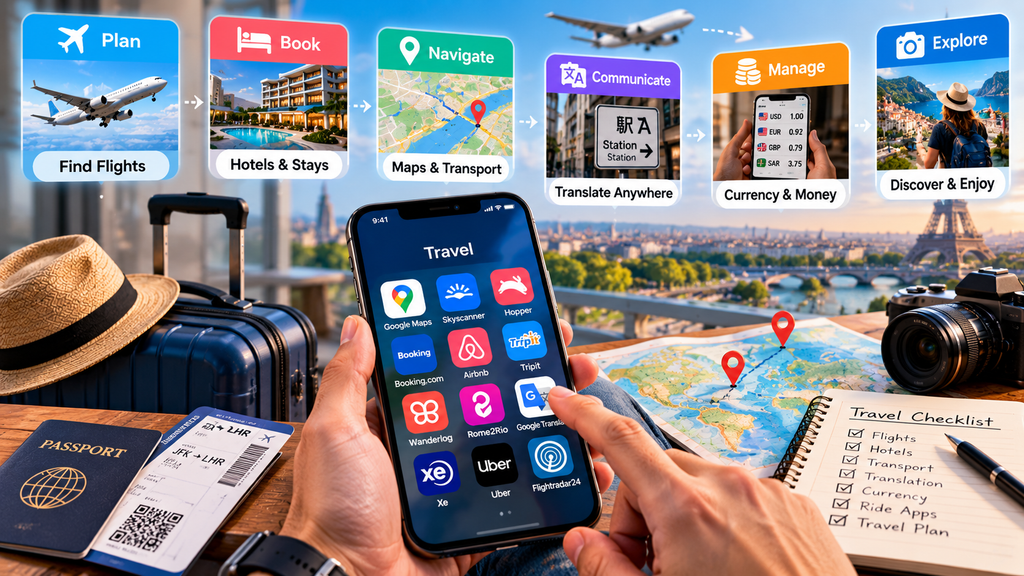
The best travel apps in 2026 solve different stages of a journey.
For planning flights, Skyscanner helps compare options while Hopper focuses more heavily on price monitoring.
Booking.com and Airbnb address accommodation, although their lodging models differ.
TripIt is particularly useful after reservations have already been made because it organizes confirmation information into a structured itinerary.
Wanderlog is better suited to building the actual daily trip plan, while Rome2Rio helps answer questions about transportation between destinations.
Google Maps and Google Translate become especially useful after you arrive.
Xe simplifies currency calculations, Uber handles certain local transportation needs, and Flightradar24 provides an additional layer of flight tracking.
There is little reason to install every travel app available.
A carefully selected group of applications usually provides a cleaner and more practical travel setup.
Which Travel Apps Do You Actually Need?
Your ideal travel-app collection depends on the type of trip.
For a short domestic trip, Google Maps, your airline app and an accommodation application may be enough.
For an international trip, you may also want Google Translate, Xe and an itinerary organizer.
For a multi-city journey, TripIt, Wanderlog or Rome2Rio can become much more useful.
A practical starting combination might include:
Google Maps for navigation.
Skyscanner for researching flights.
Booking.com or Airbnb for accommodation.
TripIt or Wanderlog for organizing the trip.
Google Translate for language assistance.
Xe for currency conversion.
Uber or a relevant local ride-hailing service for ground transportation.
You can then add specialized applications only when necessary.
Preparing Your Phone Before Traveling
If you plan to capture and improve travel photos on your phone, see our guide to the best photo editing apps in 2026.
Do not wait until you reach your destination to configure your travel applications.
Download offline Google Maps for important destinations.
Download offline language packs in Google Translate.
Save booking confirmations somewhere accessible even if you lose internet connectivity.
Take screenshots or save offline copies of important addresses, tickets and reservations.
Confirm that your banking, authentication and communication applications work internationally.
Check whether your mobile plan includes roaming or whether you will use a local SIM or eSIM.
Also make sure you can still access important accounts if your primary phone number temporarily becomes unavailable.
Travel App Privacy and Security
Travel creates additional digital-security risks because people frequently connect to unfamiliar networks and access important accounts while away from home.
Use strong, unique passwords and multi-factor authentication for airline, hotel, banking and email accounts.
Avoid installing unfamiliar travel applications from unofficial sources.
Review location permissions as well. Navigation and ride-hailing apps may require precise location while you are actively using them, but not every travel application needs permanent background access.
Public Wi-Fi should also be treated carefully.
For more information about protecting traffic on unfamiliar networks, see TechZory’s guide to the best VPN services in 2026.
You can also explore our broader guide to the best mobile apps in 2026 for productivity, security and everyday smartphone use.
Free vs. Paid Travel Apps
Most of the applications in this guide can be installed or used for basic functions without paying a subscription.
However, some services monetize through bookings, advertising, commissions, optional subscriptions or premium features.
Wanderlog, TripIt and Flightradar24, for example, provide additional functionality through paid tiers.
Booking platforms may also display different cancellation terms, taxes or fees depending on the property or provider.
The most important distinction is between paying for an app and paying for the travel service itself.
A free travel application can still lead to expensive bookings, so always evaluate the total cost and booking conditions before purchasing flights, accommodation or transportation.
Frequently Asked Questions
What are the most useful travel apps in 2026?
Google Maps, a flight-search service, an accommodation application, a translation app and an itinerary organizer cover many common travel needs.
Additional tools such as Xe, Uber, Rome2Rio and Flightradar24 become useful depending on the destination and complexity of the trip.
What is the best app for finding flights?
Skyscanner is useful for comparing routes and prices across multiple airlines and travel providers, while Hopper focuses more heavily on price predictions and alerts.
Travelers should still verify baggage rules, fare restrictions and final prices before booking.
What is the best app for planning an itinerary?
Wanderlog is well suited to visual daily planning, mapping and collaborative itineraries.
TripIt is especially useful for automatically organizing existing bookings and confirmation information.
Which travel app works offline?
Several travel applications provide some offline functionality.
Google Maps allows users to download map areas, Google Translate supports downloaded languages for certain offline translations, and Wanderlog offers offline trip-plan features through its Pro tier.
The exact capabilities vary, so prepare offline content before traveling.
Is Google Maps enough for international travel?
Google Maps handles navigation and local discovery extremely well, but it does not replace applications for flights, accommodation, translation, currency conversion and itinerary management.
Do I need both TripIt and Wanderlog?
Not necessarily.
TripIt focuses heavily on organizing reservation information.
Wanderlog focuses more on building and visualizing the itinerary itself.
Some travelers may use both, but many will only need one.
Is Rome2Rio useful for international travel?
Yes. It is especially useful for understanding different transport options between cities, airports and destinations.
Schedules and fares should still be confirmed with the actual transportation provider before departure.
Should I use public Wi-Fi while traveling?
Use caution when connecting to unfamiliar networks, particularly before accessing sensitive accounts.
Keep your device updated, use encrypted websites and consider additional network-protection tools when appropriate.
Final Thoughts
The best travel apps in 2026 can remove a surprising amount of friction from a trip.
Google Maps handles navigation and local discovery.
Skyscanner and Hopper help with flight research and pricing.
Booking.com and Airbnb simplify accommodation searches.
TripIt and Wanderlog organize travel plans in different ways, while Rome2Rio helps travelers understand transportation options between destinations.
Google Translate reduces language barriers, Xe simplifies currency calculations, Uber handles local transportation in supported cities, and Flightradar24 provides detailed flight tracking.
You do not need all 12 apps for every trip.
Choose the tools that solve the specific problems your journey creates, configure them before departure and make important information available offline whenever possible.
The goal is not to fill your phone with travel applications.
It is to make the journey easier.
Sources and Further Reading
- Google Maps Help — Download Areas and Navigate Offline
- Skyscanner — Why Skyscanner?
- Hopper Help — How Does the Hopper App Work?
- Booking.com — Booking.com Mobile App
- Airbnb — Airbnb App and 2026 Travel Updates
- TripIt — Travel Organizer
- Wanderlog — Travel Planner and Itinerary App
- Rome2Rio — Travel Search and Trip Planner
- Google Translate Help — Offline Camera Translation
- Xe — Currency Converter and Money Transfer App
- Uber — Ride and Airport Transportation
- Flightradar24 — Mobile Flight Tracker