
Smartphone cameras have improved dramatically, but taking a good photo is only part of the process. Modern flagship and foldable phones also rely heavily on computational photography and AI-assisted image processing, as discussed in our Samsung Galaxy Z Fold8 review.
The right editing app can correct lighting, improve colors, remove distractions, create social-media graphics, apply professional presets, and even use AI to transform an image within seconds.
In 2026, mobile photo editing has also become much more capable. Features that once required desktop software—such as object removal, selective adjustments, RAW editing, background replacement, generative expansion, masking, and advanced color grading—are increasingly available directly on iPhone and Android devices.
The challenge is choosing the right tool.
Some photo editors focus on professional photography. Others are designed for quick social-media content, creative effects, AI editing, or simple everyday corrections.
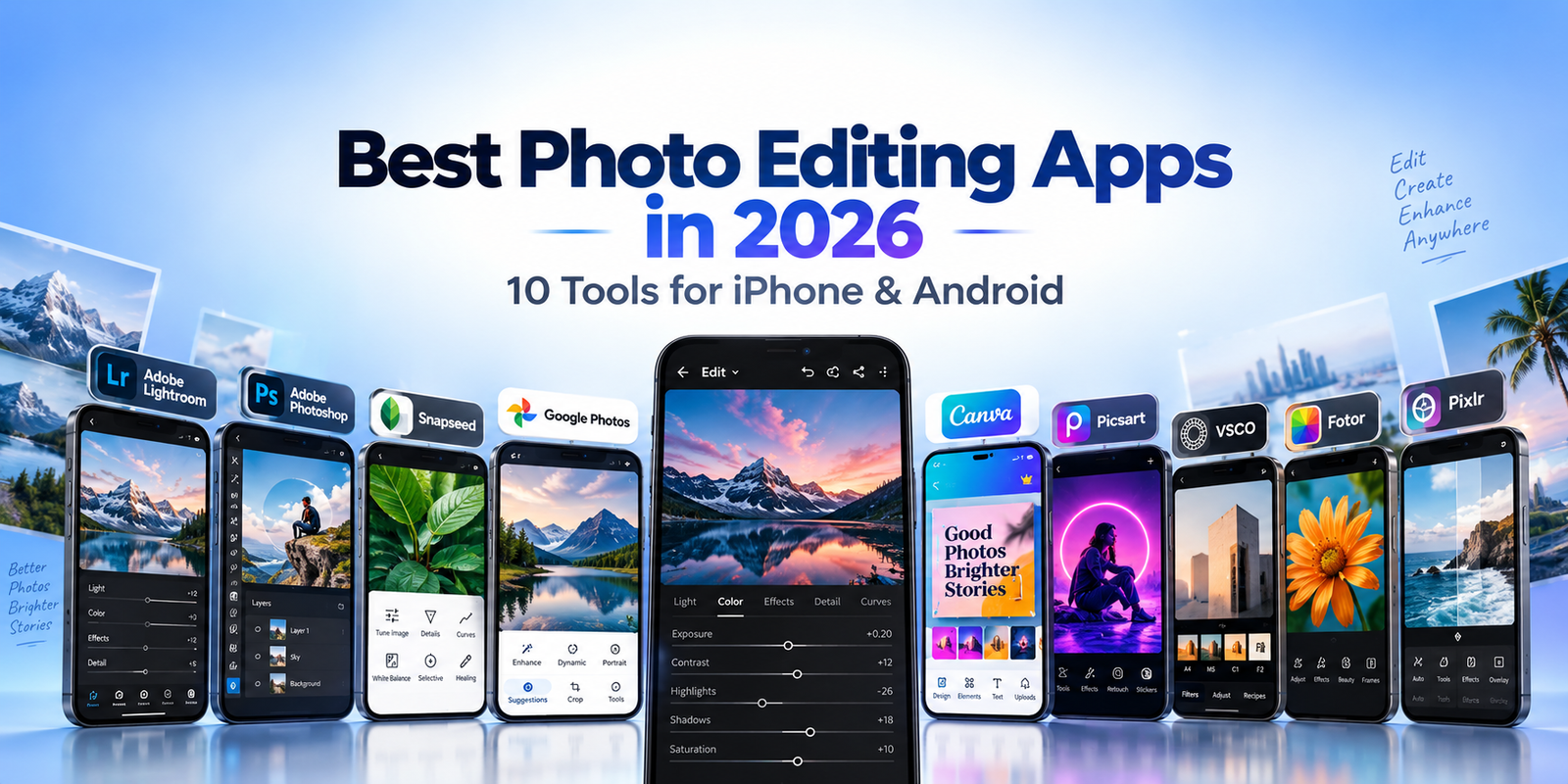
This guide compares 10 of the best photo editing apps in 2026 and explains which type of user each one is most suitable for.
Table of Contents
Best Photo Editing Apps in 2026: Quick Overview
| App | Main Strength | Platforms | Free Option | Best Fit |
|---|---|---|---|---|
| Adobe Lightroom | Professional photo editing | iOS, Android | Yes | Photographers and advanced editing |
| Adobe Photoshop | Layers and creative editing | iOS, Android | Yes | Compositing and detailed edits |
| Snapseed | Powerful free editing | iOS, Android | Yes | Users wanting strong tools without subscriptions |
| Google Photos | Quick everyday editing | iOS, Android | Yes | Simple corrections and photo libraries |
| Canva | Photo editing and design | iOS, Android | Yes | Social media and visual content |
| Picsart | Creative and AI editing | iOS, Android | Yes | Creators and social content |
| VSCO | Presets and film looks | iOS, Android | Yes | Photography styles and color grading |
| Fotor | AI and one-tap editing | iOS, Android | Yes | Fast edits and AI tools |
| Polarr | Filters and color control | iOS, Android | Yes | Custom styles and selective adjustments |
| Pixlr | Fast creative editing | iOS, Android | Yes | Effects, overlays and quick edits |
1. Adobe Lightroom — Advanced Mobile Photo Editing
Adobe Lightroom remains one of the strongest mobile editors for photographers who want more control than a typical filter-based application provides.
The app combines exposure adjustments, color controls, cropping, presets, masking, organization, RAW workflows and cloud synchronization within a mobile interface.
Adobe has continued expanding Lightroom on mobile throughout 2026. Recent releases added features including Generative Expand, improved blemish removal, film-inspired presets, natural-language photo search and support for turning photos into AI-generated videos.
One of Lightroom’s biggest strengths is that the mobile version is not simply a lightweight companion app. Users can perform serious editing directly on a smartphone and continue working across supported Adobe devices and services.
Adobe also allows many capture, organization, sharing and editing features to be used for free, while more advanced capabilities such as certain masking, healing, RAW workflows, cloud storage and synchronization features can require a paid subscription.
Lightroom makes the most sense for users who want consistent control over exposure, color, tone and detail rather than simply applying a quick filter.
Best for: Photographers, RAW editing, advanced color correction and users who want a desktop-to-mobile workflow.
2. Adobe Photoshop — Layers, Compositing and AI Editing
Photoshop on mobile has become a much more capable editing tool for iPhone and Android users.
Unlike Lightroom, which is primarily focused on photographic correction and organization, Photoshop is especially useful when you want to combine images, work with layers, make targeted selections, remove objects or create more complex visual compositions.
Adobe currently supports key tools on both iPhone and Android, including selections, layer controls, object removal, cloning, exposure and color adjustments, Generative Fill and Generative Expand. Some individual features still differ between platforms.
The mobile application is available as a free standalone app, with additional premium functionality available through Adobe subscriptions.
For users already familiar with Photoshop, the mobile version can be especially useful for making detailed edits without opening a laptop.
It also works well for social-media creators who need more control than a basic photo editor but do not necessarily want to perform an entire desktop workflow.
Best for: Layers, object removal, image compositing, selective editing and creative AI-assisted workflows.
3. Snapseed — Powerful Editing Without a Subscription
Snapseed is particularly attractive for users who want a capable mobile photo editor without ongoing subscription costs.
Google describes Snapseed as a complete photo editor with more than 30 professional tools and filters. Current features include RAW support, smart masking, batch editing, dehaze, lens blur, tonal contrast, film-inspired effects and non-destructive editing.
The application also stands out because Google currently lists it without subscriptions, purchases, advertisements or watermarks.
Its interface may take slightly more time to understand than very simple one-tap editors, but the learning curve gives users access to much more precise control.
Snapseed is especially useful for people who want manual photo editing without committing to a paid ecosystem.
It can also serve as a strong secondary editor even for users who already rely on Google Photos or another photo-management application.
Best for: Free advanced editing, RAW photos, selective adjustments and users avoiding subscriptions.
4. Google Photos — Fast Everyday Photo Improvements
Google Photos is primarily known for photo backup and organization, but its editing tools have become increasingly useful.
For many users, that convenience is its biggest advantage. You can take a photo, find it immediately in your library and make quick corrections without exporting it into another application.
Current mobile editing tools include cropping, rotation, filters, brightness, contrast, saturation, warmth, HDR-related adjustments and suggested automatic enhancements.
Google Photos also provides features such as Magic Eraser, Unblur and Portrait Light on supported devices, although availability can vary by device, account, region and hardware requirements.
Google has also introduced AI-assisted editing workflows such as AI Enhance for eligible users and devices.
Google Photos is not intended to replace Lightroom or Photoshop for advanced professional editing. Instead, it is excellent when you need fast corrections to photos you already store in Google’s ecosystem.
Best for: Everyday photo adjustments, automatic enhancements, Google Photos users and quick edits.
5. Canva — Photo Editing Meets Graphic Design
Canva occupies a different position from traditional photography applications.
It combines photo editing with graphic design, templates, text, layouts and content creation.
This makes Canva particularly valuable when the final image is intended for Instagram, Facebook, YouTube thumbnails, presentations, advertisements, blog graphics or marketing material.
Canva’s current photo editor includes quick adjustments, filters, background tools, distraction removal and AI-assisted editing capabilities across desktop and mobile workflows.
Instead of editing a photo and then moving it into another design application, Canva lets users place the edited image directly into a social post, presentation, banner or other layout.
This makes it less specialized than Lightroom for photographic color work, but potentially more efficient for creators who need finished content rather than an edited photo alone.
For TechZory-style workflows, Canva can also be useful when turning product photos, screenshots or article graphics into publication-ready assets.
Best for: Social-media graphics, thumbnails, marketing images, templates and content creators.
6. Picsart — Creative Editing and AI Tools
Picsart focuses heavily on creative editing.
Its toolset combines traditional adjustments with AI features, social-media design, text, stickers, background manipulation and visual effects.
Picsart currently offers features including AI editing, background removal, perspective correction, filters, automatic enhancement, text tools, resizing, blur controls, object removal, batch editing and high-resolution exporting.
That combination makes it especially useful when the goal is not simply to correct a photograph but to transform it into something designed for social media.
For example, a creator could remove a background, add text, resize the image for a specific platform and apply creative effects without switching applications.
The interface contains many features, so users looking for a very minimal editor may find it busier than Snapseed or Google Photos.
For social content and creative experimentation, however, the broad toolset can be an advantage.
Best for: Creative edits, social-media images, AI-assisted effects and visual experimentation.
7. VSCO — Film-Inspired Looks and Consistent Style
VSCO has long been associated with presets and film-inspired photography, and that remains one of its main strengths.
The application currently provides hundreds of presets along with tools for grain, saturation, contrast, HSL adjustments, white balance, film effects and other stylistic controls.
VSCO is particularly useful for creators who want a consistent visual identity across multiple photos.
Instead of manually recreating the same color treatment each time, users can develop and reuse editing styles.
VSCO has also expanded into AI-assisted editing. Its AI Lab includes tools designed for tasks such as distraction removal, background changes, noise reduction, portrait refinement and upscaling.
The free version provides basic editing functionality, while more advanced presets and tools are tied to paid membership options.
VSCO therefore makes the most sense for users who care strongly about aesthetic consistency rather than simply correcting individual images.
Best for: Film looks, presets, color styling, photographers and consistent social-media aesthetics.
8. Fotor — Quick Editing With AI Features
Fotor is designed around accessibility and speed.
It combines standard editing tools with AI functions and graphic-design features in one mobile application.
Fotor currently promotes more than 200 editing tools along with one-tap image enhancement, background removal, AI image generation and design elements for graphics and marketing content.
This makes the application useful for people who want visible results quickly without manually adjusting every photographic parameter.
A user can enhance an image, remove a background or generate creative visual content in a relatively straightforward workflow.
Fotor is not necessarily the first choice for photographers who need the deep RAW controls of Lightroom, but it can be more approachable for everyday users and small-business content creation.
Best for: One-tap enhancements, AI tools, background removal and fast creative editing.
9. Polarr — Filters and Fine Color Adjustments
Polarr provides a combination of filters and manual editing controls.
The mobile-focused version is available on iOS and Android and includes global adjustments, selective adjustments, overlays and tools for creating and sharing custom filters.
Its appeal lies in the ability to create a particular visual style and then reuse that style across other photos.
For users who enjoy experimenting with color and filters, Polarr offers more flexibility than simple preset-only applications.
The platform also provides more advanced editing options through its broader Pro editing ecosystem, including selective masking and extensive color adjustments.
Polarr is therefore a useful middle ground between a casual filter application and a more technically demanding professional editor.
Best for: Custom filters, color styling, selective adjustments and creative photography.
10. Pixlr — Fast Effects and Mobile Creativity
Pixlr provides a lightweight approach to photo editing and content creation.
Its mobile application combines traditional photo effects with overlays, filters and AI-powered tools.
Pixlr currently describes its mobile editor as supporting large combinations of effects, overlays and filters, along with AI-assisted photo and video editing tools.
The app is well suited to users who want to make quick creative changes and publish the results without spending significant time learning advanced editing techniques.
It can also be useful for simple social posts, visual experiments and basic promotional graphics.
Users who need highly technical photo adjustments may prefer Lightroom or Snapseed, while users focused on graphic layouts may prefer Canva.
Pixlr’s strength is quick, accessible creativity.
Best for: Fast editing, filters, overlays, effects and casual content creation.
Quick Comparison of the Best Photo Editing Apps in 2026
The best photo editing apps in 2026 serve very different types of users.
Adobe Lightroom is the strongest choice for photographers who want precise control over color, exposure and RAW images.
Adobe Photoshop makes more sense when the workflow involves layers, selections, object manipulation or complex compositions.
Snapseed provides an unusually capable free option without requiring a subscription.
Google Photos is the easiest choice for quick edits if your photos are already stored there.
Canva and Picsart are more suitable when editing is part of a broader social-media or content-creation workflow.
VSCO focuses on presets and visual style, while Fotor emphasizes fast AI-assisted editing.
Polarr is useful for custom filters and detailed color adjustments, and Pixlr provides quick creative effects with a relatively accessible interface.
There is therefore no single app that is ideal for every user.
Which Photo Editing App Should You Choose?
Choosing among the best photo editing apps in 2026 depends on what you actually want to do with your photos.
If photography itself is the priority, start with Lightroom or Snapseed.
If you frequently combine multiple images, work with layers or remove and replace objects, Photoshop is more appropriate.
If your main goal is social content, Canva or Picsart may save more time because they combine editing with design tools.
For quick family photos and everyday corrections, Google Photos may already provide everything you need.
If you prefer film-inspired aesthetics and consistent presets, VSCO deserves attention.
Users who enjoy experimenting with custom filters may prefer Polarr, while Fotor and Pixlr are convenient for fast AI or creative edits.
The best strategy is to avoid installing several apps that perform exactly the same job.
Choose one primary editor and add a second application only when it solves a different problem.
Free vs. Paid Photo Editing Apps
Many mobile photo editors use a freemium model.
The basic application may be free, while advanced tools, cloud storage, AI credits, premium filters or professional export options require payment.
Before subscribing, check which features you genuinely use.
A photographer who regularly edits RAW files may benefit from paying for advanced Lightroom features.
A casual smartphone user may find that Snapseed or Google Photos already provides enough editing capability without another subscription.
Similarly, Canva Pro or Picsart premium features may make sense for creators who publish content frequently, but they may be unnecessary for occasional photo correction.
Subscription prices and feature limits change regularly, so check the current plan information in the App Store, Google Play or the developer’s official website before purchasing.
AI Photo Editing in 2026
AI has become one of the biggest changes in mobile photo editing.
Instead of manually tracing objects or repairing backgrounds pixel by pixel, modern editors can often identify subjects automatically.
Tools such as Generative Expand, object removal, automatic masking, background replacement and AI enhancement can dramatically reduce editing time.
Adobe Lightroom and Photoshop now integrate generative and AI-assisted features directly into mobile workflows.
Google Photos provides AI-assisted corrections and tools such as Magic Eraser on supported devices.
VSCO, Canva, Picsart, Fotor and Pixlr have also incorporated different forms of AI-assisted editing.
However, AI tools should still be reviewed carefully.
Generated areas can contain visual errors, unrealistic details or changes that were not intended.
For product images, journalism, academic work or other contexts where visual accuracy matters, keep the original file and verify significant AI-generated changes before publishing.
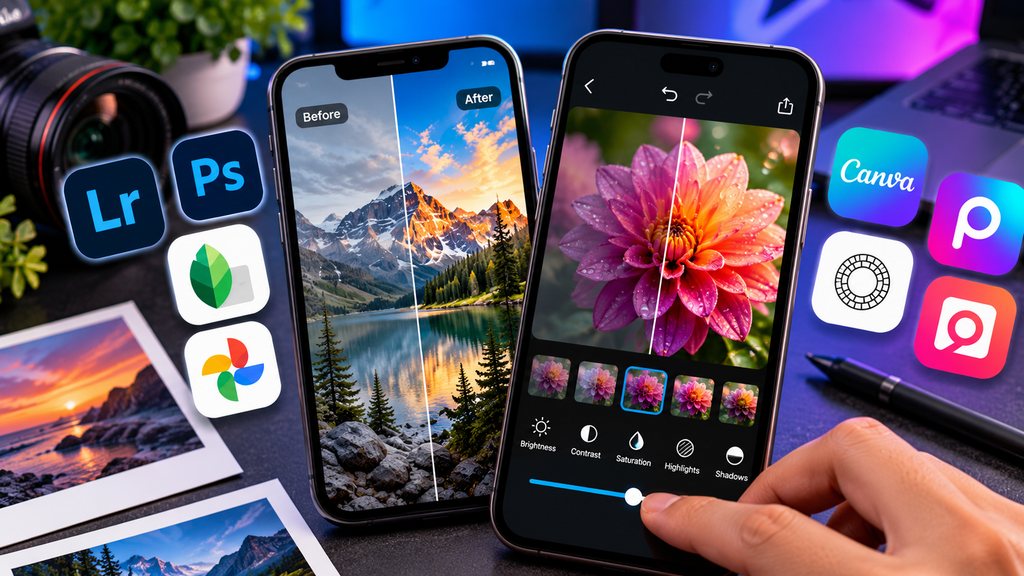
Photo Editing Privacy and Security
Photo editors often request access to your device’s photo library.
That access may be necessary for editing, but users should still review permissions carefully.
Consider whether an application needs access to your entire library or whether selected-photo access is sufficient.
Cloud-based and AI-powered features may also upload image data to remote servers for processing.
This can matter when editing confidential documents, private family photos, business materials or images containing sensitive information.
Use applications from trusted developers, keep them updated and review their privacy settings periodically.
For a broader selection of useful smartphone tools, see TechZory’s guide to the best mobile apps in 2026.
Frequently Asked Questions
What is the best photo editing app for iPhone and Android?
There is no single answer for every user. Lightroom is well suited to advanced photography, Photoshop to complex creative editing, Snapseed to free manual editing, and Canva or Picsart to social-media content.
What is the best free photo editing app in 2026?
Snapseed is a particularly strong free option because it provides a large collection of professional editing tools without subscriptions, purchases, advertisements or watermarks according to its current Google Play listing.
Google Photos is also useful for quick everyday edits, while free versions of Lightroom, Photoshop, Canva and other applications provide different levels of functionality.
Is Lightroom better than Photoshop for mobile photo editing?
They solve different problems.
Lightroom is primarily designed around photography, color correction, exposure, presets, RAW workflows and photo organization.
Photoshop is more appropriate for layers, compositing, selections, object manipulation and more complex creative edits.
Some users benefit from using both.
Can Photoshop be used for free on a phone?
Yes. Adobe currently offers Photoshop on mobile as a free standalone application for iPhone and Android, with additional premium features available through paid plans.
Is Snapseed still available in 2026?
Yes. Google continues to maintain Snapseed, and its Google Play listing was updated in September 2026.
Which app is best for social-media photos?
Canva and Picsart are strong choices because both combine photo editing with tools for social posts, text, templates and creative design.
VSCO is another good option when maintaining a consistent photographic style is more important than graphic design.
Which app is best for professional photographers?
Lightroom is especially suitable for photographers who need detailed color and exposure adjustments, RAW editing and integration with a broader photography workflow.
Snapseed and VSCO can also be useful depending on the photographer’s style and requirements.
Do AI photo editors reduce image quality?
Not necessarily, but results depend on the application, original file and editing process.
Heavy processing, repeated compression or low-resolution exporting can reduce quality. Generative AI can also introduce visual artifacts, so important edits should be inspected at full resolution.
Final Thoughts
The best photo editing apps in 2026 make sophisticated image editing possible without relying entirely on desktop software.
Adobe Lightroom provides one of the most complete photography-focused workflows, while Photoshop brings layers, selections and generative editing to mobile devices.
Snapseed remains compelling for users who want powerful tools without a subscription, and Google Photos handles everyday corrections with minimal friction.
Canva and Picsart are especially practical for social-media creators, while VSCO focuses on presets and recognizable photographic styles.
Fotor, Polarr and Pixlr provide additional options for AI editing, filters and creative effects.
The right app depends on your workflow rather than the number of features it advertises.
Start with one application that handles most of your editing, learn its tools well, and add another only when you need capabilities your primary editor does not provide.
Sources and Further Reading
- Adobe — What’s New in Lightroom on Mobile
- Adobe — Lightroom on Mobile FAQ
- Adobe — Compare Photoshop Features on iPhone and Android
- Google — Snapseed on Google Play
- Google Photos Help — Edit Your Photos
- Canva — Edit Photos with Canva Photo Editor
- Picsart — Photo Editor with AI Tools
- VSCO — Photo Editor Features
- Fotor — Mobile Photo Editor for iOS & Android
- Polarr — Polarr Mobile Photo Editor
- Pixlr — Mobile Photo Editing Apps







Comments 1