

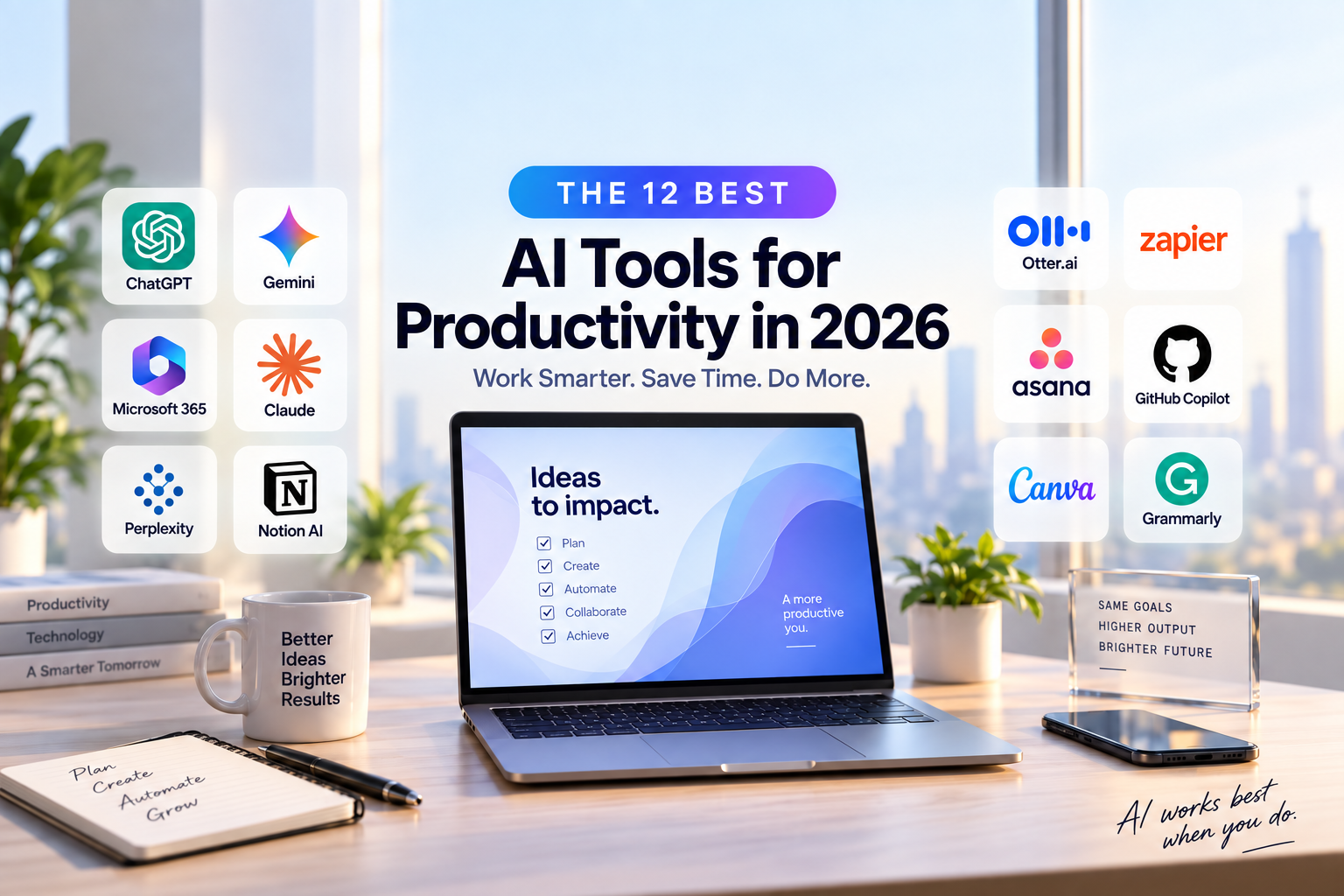
Artificial intelligence has become one of the most practical ways to save time, organize work, research information, create content, automate repetitive tasks, and improve everyday productivity. In 2026, the best AI tools for productivity are no longer limited to simple chatbots—they can help users manage complete workflows, summarize meetings, analyze documents, create presentations, write and edit content, assist with coding, and connect information across multiple apps.
The challenge is choosing the right tool. Some AI platforms are excellent all-purpose assistants, while others are designed specifically for writing, research, meetings, project management, automation, coding, or creative work. Paying for several overlapping subscriptions can quickly become expensive, so the smartest approach is to choose tools that solve a real productivity problem.
In this guide, we compare some of the best AI tools for productivity in 2026 and explain what each one does best, who it is most suitable for, and when a free or paid plan may make sense.
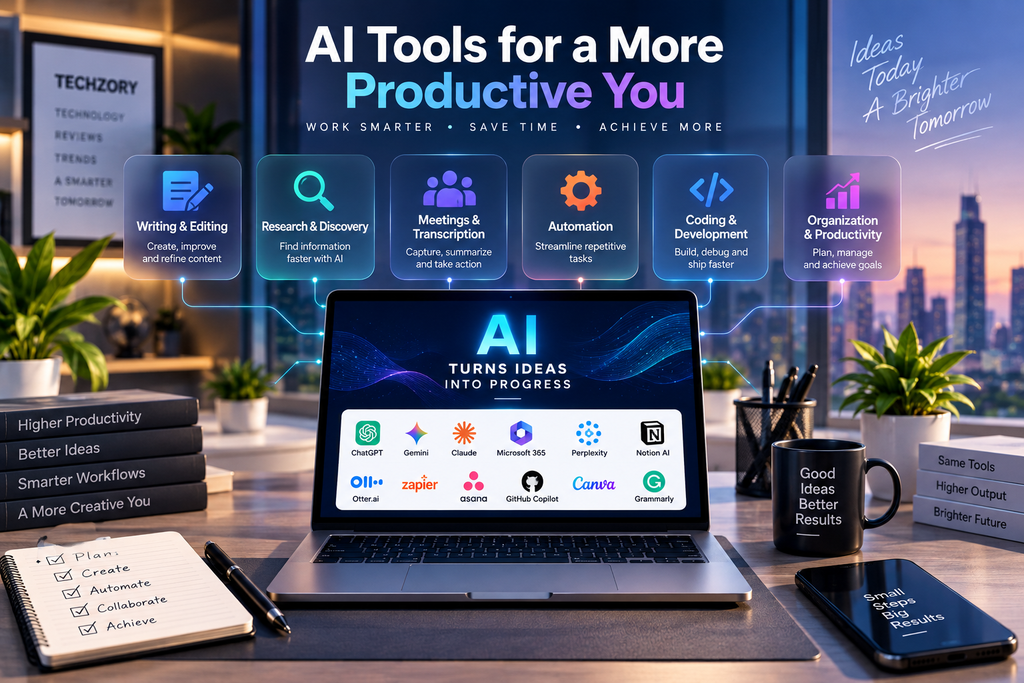
Best AI Tools for Productivity in 2026: Quick Overview
The best choice depends on how you work. A general-purpose AI assistant may be enough for many users, while professionals who spend most of their day in Microsoft 365, Google Workspace, Notion, coding environments, or automation platforms may benefit more from tools that integrate directly with those workflows.
Table of Contents
1. ChatGPT — Best Overall AI Productivity Assistant
ChatGPT remains one of the most versatile AI productivity tools in 2026 because it can support a wide range of everyday tasks within a single platform. It can help users brainstorm ideas, draft and revise content, summarize documents, analyze information, research unfamiliar topics, organize plans, work with uploaded files, assist with coding, and turn rough ideas into structured outputs.
For everyday productivity, one of ChatGPT’s biggest advantages is flexibility. A user can begin with a simple question, continue refining the result through conversation, upload supporting documents, and keep related work organized in Projects. This makes it useful for ongoing activities such as content planning, research projects, business analysis, studying, or managing recurring work.
ChatGPT is also useful for research-intensive tasks. Search can bring current information from the web into a conversation, while deeper research tools can investigate more complex questions, compare multiple sources, and produce structured reports with citations. This is especially helpful when a task requires more than a quick answer and the user needs to understand where the information came from.
For larger workflows, ChatGPT can go beyond drafting text. Depending on the available plan and features, it can work with connected apps and files, help create documents, spreadsheets, presentations, and reports, and assist with multi-step tasks that would otherwise require switching between several applications.
Another strength is its ability to adapt to different users. A student might use it to explain difficult concepts and organize study material, while a marketer could use it for campaign ideas and content drafts. Developers can use it to understand or troubleshoot code, and professionals can use it to summarize documents, compare options, prepare reports, or organize projects.
However, ChatGPT should not be treated as an automatic replacement for human review. Important facts should still be verified, particularly for medical, legal, financial, technical, or rapidly changing information. Users should also consider privacy before uploading confidential or sensitive material and review the data policies that apply to their account or organization.
Best for: General productivity, writing, research, brainstorming, document analysis, planning, coding assistance, and multi-step knowledge work.
Key strengths: Broad range of capabilities, conversational workflow, file support, research tools, project organization, and the ability to handle both simple and complex tasks.
Consider before upgrading: Advanced capabilities and usage limits can vary by plan, so users should choose a subscription based on the features they actually need rather than paying for functionality they rarely use.
2. Gemini — Best for Google Workspace Users
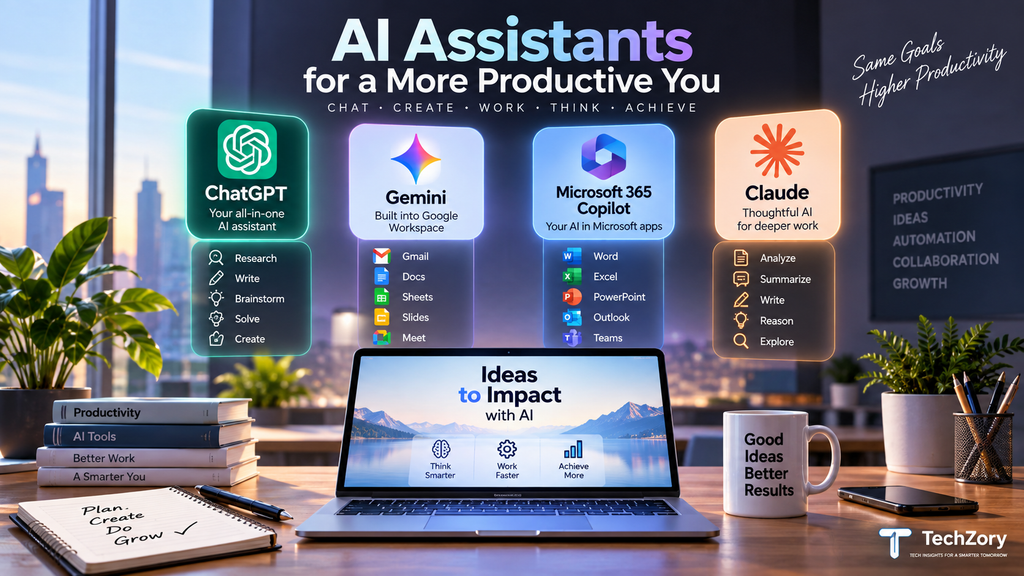
Gemini is one of the strongest AI productivity options for people who already spend much of their day inside Google Workspace. Its biggest advantage is not simply the chatbot itself, but the way Gemini can work directly across Gmail, Docs, Sheets, Slides, Drive, Chat, and other Google services.
In Gmail, Gemini can summarize long email threads, help draft or refine replies, find important details, and surface action items. In Docs, it can assist with writing, rewriting, summarizing, and creating structured documents. In Drive, users can ask questions across files, summarize folders, retrieve information more quickly, and perform research using selected sources.
Google has also expanded Gemini’s ability to work across multiple Workspace apps. Depending on the available plan and features, users can ask Gemini to gather context from relevant emails, files, and conversations and then help create formatted documents, spreadsheets, or presentations without constantly switching between apps.
This makes Gemini especially useful for professionals and teams whose workflows already depend on Google Workspace. Someone preparing a project update, for example, may be able to pull information from Gmail and Drive, summarize the latest developments, and turn that information into a document or presentation within the same ecosystem.
Gemini can also support meetings and collaboration. Google Workspace includes AI-assisted meeting notes and summaries in supported plans, helping users capture decisions and action items without manually documenting every conversation.
Another advantage is access to Google’s broader AI ecosystem, including tools for research, planning, data analysis, and reusable AI assistants. However, feature availability varies by account type, subscription, language, and region, so users should confirm which capabilities are included before choosing a paid plan.
As with any AI assistant, important outputs should still be reviewed. Gemini can produce inaccurate or incomplete information, and organizations should consider their privacy, sharing, and administrator settings before using AI with confidential business data.
Best for: Gmail, Docs, Drive, Sheets, Slides, meetings, and users already committed to Google Workspace.
Key strengths: Deep Google Workspace integration, email and document assistance, cross-app workflows, file research, meeting support, and strong collaboration features.
Consider before upgrading: Some advanced Gemini capabilities are limited to specific Google AI or Workspace plans, and availability can differ by country, account type, and administrator settings.
3. Microsoft 365 Copilot — Best for Microsoft Office Workflows
Microsoft 365 Copilot is one of the best AI productivity tools for users whose daily work already revolves around Word, Excel, PowerPoint, Outlook, Teams, OneDrive, and SharePoint. Its main advantage is that AI assistance is built directly into familiar Microsoft 365 applications rather than requiring users to constantly move between separate tools.
In Word, Copilot can help draft, rewrite, restructure, summarize, and refine documents. In Excel, it can assist with formulas, data analysis, trends, tables, charts, and explanations of complex information. In PowerPoint, it can turn ideas or source material into presentations, update existing slides, and help create more polished decks that follow organizational templates.
Outlook is another area where Copilot can save time. It can summarize long email threads, help draft responses, work with inbox and calendar information, and support users who need to manage large volumes of communication. In Teams, Copilot can summarize meetings and conversations, identify key decisions, and highlight action items so users can catch up more quickly.
A major development in 2026 is the expansion of agentic capabilities inside Microsoft 365 apps. Copilot can now perform more multi-step actions directly inside Word, Excel, and PowerPoint, such as editing an existing document, making changes to a spreadsheet, or refining a presentation instead of only suggesting what the user should do.
Microsoft is also expanding Copilot through specialized agents. These can assist with research, analysis, document creation, workflow automation, and organization-specific tasks. For businesses, Copilot can use Microsoft 365 context while respecting existing permissions, sensitivity labels, and access controls.
This makes Microsoft 365 Copilot particularly useful for organizations that already depend heavily on Microsoft tools. A user can move from an Outlook conversation to a Word document, analyze supporting data in Excel, and prepare a PowerPoint presentation while keeping the workflow within the same ecosystem.
However, the full experience can depend heavily on licensing. Some Copilot capabilities are available through eligible Microsoft 365 subscriptions, while advanced organizational features, agents, and deeper work-context access may require additional licenses or administrator configuration.
Best for: Word, Excel, PowerPoint, Outlook, Teams, enterprise workflows, business documents, and Microsoft 365 users.
Key strengths: Deep Microsoft 365 integration, strong document and spreadsheet support, meeting summaries, app-native editing, enterprise data context, and increasingly capable AI agents.
Consider before upgrading: Microsoft 365 Copilot delivers the most value when your work already lives inside the Microsoft ecosystem. Users who rely mainly on Google Workspace or independent apps may not benefit as much from the integration.
4. Claude — Best for Long-Form Writing and Document Analysis
Claude is a strong AI productivity tool for users who frequently work with long documents, detailed reports, research material, technical information, or extended writing projects. Its conversational style and document-handling capabilities make it particularly useful when a task requires careful reading, structured reasoning, and maintaining context across large amounts of information.
One of Claude’s most useful productivity features is Projects. Users can organize related conversations, upload supporting documents, add project-specific knowledge, and provide custom instructions so Claude can work with consistent context across an ongoing project. This can be valuable for activities such as research, policy analysis, content development, technical documentation, and business planning.
Claude is also well suited to long-form writing. It can help transform rough notes into structured drafts, improve clarity and organization, rewrite sections in a different tone, summarize lengthy material, compare documents, and identify important themes or inconsistencies. This makes it useful for reports, proposals, articles, academic material, documentation, and other writing-intensive workflows.
Artifacts provide another useful workspace for productivity. Instead of keeping every result inside a conversation, Claude can display documents, code, diagrams, and other outputs in a separate working area where users can review and refine them alongside the chat. This makes iterative creation more convenient, especially when developing longer deliverables.
For document analysis, users can provide reference material and ask Claude to summarize it, extract key points, compare sections, answer questions based on the supplied content, or reorganize information into a clearer format. This can reduce the time required to work through large reports, policies, transcripts, research papers, and technical documentation.
Claude can also support coding, planning, brainstorming, and general knowledge work, so it is not limited to writing. However, its strongest value often appears when the task involves substantial context and requires a coherent, carefully structured output rather than a short response.
As with other AI tools, users should verify important factual claims and avoid relying on generated summaries as a substitute for reviewing critical source material. Sensitive or confidential documents should also be handled according to the privacy and data policies that apply to the user’s account or organization.
Best for: Long-form writing, document analysis, reports, research material, summarization, technical documentation, and context-heavy projects.
Key strengths: Strong long-context workflows, Projects, document handling, structured writing, Artifacts, and iterative editing.
Consider before upgrading: Claude offers the most value to users who regularly work with large documents or complex written material. Users who mainly need email, spreadsheets, meetings, or app-integrated office workflows may benefit more from tools built directly into those ecosystems.
5. Perplexity — Best for AI Research and Source Discovery
Perplexity is one of the most useful AI productivity tools for people who need to research current information quickly while still being able to inspect the sources behind the answer. Instead of functioning mainly as a writing assistant, Perplexity is built around web-first research and cited responses.
For everyday research, users can ask a question and receive a concise answer supported by inline citations. This makes it especially useful for comparing products, investigating companies, understanding unfamiliar topics, checking current developments, gathering statistics, or finding original sources without manually opening dozens of search results.
One of Perplexity’s biggest strengths is source transparency. Citations are attached directly to the generated response, allowing users to open the original pages and verify important claims. This does not eliminate the need for fact-checking, but it can make the research process much faster and easier to audit than relying on an uncited AI response.
Perplexity also offers deeper research capabilities for more complex questions. These tools can investigate a topic across multiple sources, analyze information, and produce a more structured result when a simple search is not enough. This can be useful for market research, competitive analysis, technology research, academic preparation, and business decision support.
Paid plans add capabilities such as more advanced searches, additional citations, larger file uploads, and access to multiple AI models. Depending on the plan, users can also work with uploaded documents and use more advanced tools for analysis and content creation.
For teams and organizations, Perplexity can also combine external web research with internal files and connected applications. Its enterprise offering is designed to search across organizational knowledge while maintaining citations and enterprise security controls.
Perplexity is particularly valuable when the main goal is discovering and validating information rather than producing polished long-form content. Writers, analysts, students, researchers, marketers, and decision-makers can use it to build a source-backed foundation before moving the material into another tool for deeper writing, presentation, or analysis.
However, users should still open and evaluate important sources. A citation confirms where information came from, but it does not guarantee that the underlying source is authoritative, current, or interpreted correctly.
Best for: Web research, source discovery, fact-checking, market research, competitive analysis, current information, and evidence-backed answers.
Key strengths: Inline citations, real-time web research, multi-source answers, deep research capabilities, file analysis, and access to multiple AI models.
Consider before upgrading: Perplexity is most valuable for users who perform frequent research. If your main need is writing, meetings, office productivity, or project management, another AI tool may provide greater day-to-day value.
6. Notion AI — Best for Notes, Knowledge Management, and Team Workspaces
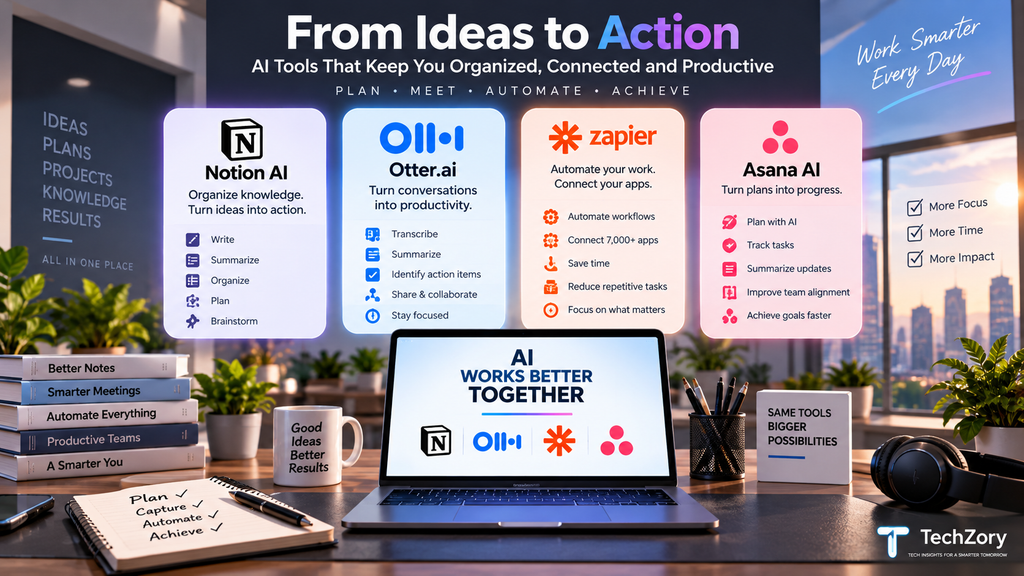
Notion AI is one of the best AI productivity tools for people and teams that already use Notion to organize notes, documents, projects, tasks, databases, and internal knowledge. Its biggest advantage is that AI works directly inside the same workspace where information is already stored.
Instead of switching between a separate chatbot and a project-management tool, users can ask Notion AI to summarize pages, rewrite content, create structured documents, organize information, generate action items, and help update databases from within the workspace.
Enterprise Search adds another layer of productivity. It can search across a user’s Notion workspace and connected services such as Slack, Google Drive, Microsoft Teams, Jira, and other supported tools. Answers can include citations back to the original sources, which makes it easier to locate information that may otherwise be scattered across multiple apps.
Notion AI is also useful for meetings. AI Meeting Notes can transcribe conversations, identify key points, generate summaries, and surface action items. Because the notes remain inside Notion, they can become part of a searchable knowledge base rather than being isolated in a separate meeting tool.
For more advanced workflows, Notion Agent can complete multi-step tasks using context from the workspace and connected applications. Custom Agents can automate recurring work such as routing tasks, sharing project updates, or answering common internal questions.
This makes Notion AI especially valuable for teams that want to combine documentation, project tracking, knowledge management, and AI assistance in one environment. A project team, for example, can keep plans, meeting notes, research, decisions, and tasks in the same workspace and use AI to retrieve or transform that information when needed.
Notion AI also offers Research Mode for more complex analysis. On supported plans, it can generate more detailed reports using information from the workspace and the web, which can be useful for project reviews, research, planning, and decision support.
However, the value of Notion AI depends heavily on how much information is already organized inside Notion. Users who only use Notion occasionally may not benefit as much as teams that rely on it as their central workspace.
Best for: Notes, knowledge bases, project documentation, team collaboration, meeting notes, internal search, and workspace automation.
Key strengths: AI inside documents and databases, Enterprise Search, AI Meeting Notes, connected-app search, Notion Agent, and recurring workflow automation.
Consider before upgrading: Many of the strongest AI features are tied to Business or Enterprise plans, and Notion AI delivers the most value when your documents, projects, and team knowledge already live inside the platform.
7. Otter.ai — Best for Meeting Transcription and Action Items
Otter.ai is one of the most practical AI productivity tools for people who spend a significant part of their week in meetings. Its core strength is turning spoken conversations into searchable transcripts, summaries, decisions, and action items so users can focus on the discussion instead of taking detailed notes manually.
Otter can automatically join supported meetings on Zoom, Microsoft Teams, and Google Meet, record the conversation, identify speakers, and generate a live transcript. After the meeting, users can review the transcript, play back the audio, search for specific topics, highlight important moments, and revisit decisions without having to rewatch the entire call.
AI-generated summaries make it easier to understand the main points of a meeting quickly. Otter can also surface action items and follow-up tasks, which is especially useful for project teams, sales calls, interviews, lectures, and recurring internal meetings.
Another useful feature is Otter AI Chat. Users can ask questions across individual meetings or multiple conversations, which helps retrieve information such as what was decided, who agreed to complete a task, or when a particular topic was discussed.
In 2026, Otter has expanded beyond simple transcription with Meeting Agents and broader workflow integrations. Its newer capabilities are designed to turn meeting knowledge into actions by connecting conversations with tools such as Google Drive, Jira, Salesforce, HubSpot, and Zapier on supported plans and configurations.
This can reduce the gap between discussing something in a meeting and actually recording it in the systems where work is managed. For example, teams can use meeting context to help create or update follow-up work rather than manually copying notes into another application.
Otter is also useful for people who need searchable archives of conversations. Teams can organize transcripts, meeting summaries, decisions, and action items so important context is not lost after a call ends.
However, meeting-recording tools come with privacy and consent responsibilities. Organizations and individual users should make sure participants understand when conversations are being recorded and follow applicable workplace policies and local laws.
Best for: Meeting transcription, summaries, action items, interviews, lectures, sales calls, and searchable meeting archives.
Key strengths: Live transcription, speaker identification, automated summaries, action items, AI Chat, calendar integration, and support for Zoom, Microsoft Teams, and Google Meet.
Consider before upgrading: The free plan has usage limits, while longer meetings, larger transcription allowances, advanced workflows, integrations, and team administration require paid plans.
8. Zapier — Best for AI Workflow Automation
Zapier is one of the most powerful AI productivity tools for users who want to automate repetitive work across multiple applications. Instead of helping with only one type of task, Zapier connects thousands of apps and allows information and actions to move between them automatically.
Traditional Zapier workflows use triggers and actions. For example, receiving a new form submission can automatically create a task, update a spreadsheet, send a notification, or add information to a customer relationship management system. This type of rule-based automation remains useful because predictable tasks often do not require AI at all.
In 2026, Zapier increasingly combines this traditional automation with AI. AI by Zapier allows users to add intelligent steps inside workflows so text can be summarized, classified, extracted, rewritten, or analyzed before the next action takes place.
This hybrid approach is useful because AI does not need to control every part of a workflow. Reliable rule-based automation can handle predictable steps, while AI can be introduced when a task requires interpretation, classification, or decision-making.
Zapier Agents extends the platform further by allowing users to create AI agents that can use connected applications and perform tasks on their behalf. Multiple specialized agents can also work together, passing information or responsibilities between them as part of a larger business process.
For example, an incoming sales inquiry could trigger a workflow that analyzes the message, categorizes the lead, looks up relevant information, updates a CRM, creates a follow-up task, and notifies the appropriate team member. Similar workflows can be created for marketing, customer support, administration, HR, IT, content operations, and project management.
One of Zapier’s biggest strengths is the size of its integration ecosystem. With support for more than 9,000 apps, users can connect many of the tools they already rely on without building custom integrations from scratch.
Zapier can also work alongside conversational AI tools. Technologies such as Zapier MCP allow compatible AI assistants to trigger actions across connected applications, helping bridge the gap between asking an AI to do something and actually carrying out the task in business software.
However, automation should be designed carefully. Workflows that send messages, modify important records, handle customer information, or make decisions should include appropriate permissions, validation, and human oversight. Adding AI to every step can also make an automation more expensive and less predictable than necessary.
Best for: Workflow automation, connecting apps, repetitive administrative tasks, lead management, notifications, data movement, AI-assisted business processes, and multi-step automation.
Key strengths: More than 9,000 app integrations, no-code workflow building, traditional and AI-powered automation, Zapier Agents, multi-step workflows, and broad compatibility with business software.
Consider before upgrading: The most advanced AI and automation features may require paid plans, and costs can increase as task volume and workflow complexity grow. Start by automating repetitive, high-value processes rather than adding AI to every possible task.
9. Asana AI — Best for AI-Powered Project and Task Management
Asana AI is one of the strongest options for teams that want artificial intelligence built directly into project and task management. Instead of using AI only for writing or research, Asana focuses on helping teams organize work, surface priorities, automate repetitive steps, and keep projects moving.
One of its most useful capabilities is Smart Chat. Users can ask questions about their work in natural language, such as what is overdue, which tasks are blocked, what changed this week, or which projects need attention. This makes it easier to understand project status without manually opening multiple boards, tasks, or reports.
Asana AI Studio goes further by allowing teams to build no-code AI workflows. These workflows can classify incoming requests, validate information, route work to the correct person, flag risks, generate updates, and automate repeatable processes. Because the workflow remains visible inside Asana, teams can combine AI automation with human review and approvals.
AI Studio can also use context from tasks, projects, portfolios, goals, and attached files. Depending on the workflow, teams can connect supporting information from services such as Google Drive, OneDrive, SharePoint, Dropbox, and Box, helping AI make decisions using the same material that employees already use in their work.
Asana has also expanded its AI capabilities with Dash, which acts like an AI chief of staff for work. Dash can surface priorities across projects, goals, meetings, email, and messages, then help capture follow-up actions so important decisions are converted into structured tasks rather than being lost in conversations.
For project managers, this can reduce time spent on status reporting and routine coordination. AI can help identify delays, summarize progress, highlight risks, organize incoming requests, and generate stakeholder updates while the team continues working in the same project-management environment.
Asana AI is particularly useful for teams that already depend on Asana for project tracking. Marketing teams can use it for campaign workflows, operations teams can automate request intake, creative teams can route approvals, and managers can use AI-generated summaries to understand progress across multiple projects.
However, AI automation should not replace clear ownership and review. Tasks involving budgets, approvals, customer commitments, or major project decisions should still include appropriate human oversight. Teams should also control which data AI workflows can access through Asana’s permissions and administration settings.
Best for: Project management, task coordination, request intake, workflow automation, project reporting, team priorities, and cross-functional work.
Key strengths: Smart Chat, AI Studio, no-code smart workflows, automated routing and classification, project summaries, risk detection, and AI-assisted prioritization.
Consider before upgrading: Asana AI provides the most value to teams that already use Asana as their primary work-management platform. AI Studio is available on paid Asana plans, while more advanced workflow usage and capacity may depend on the plan and AI Studio tier.
10. GitHub Copilot — Best for Developers and Coding Productivity
GitHub Copilot is one of the strongest AI productivity tools for developers because it works directly inside the coding environment rather than requiring constant context switching. It can help write code, explain unfamiliar logic, generate tests, suggest fixes, review changes, and assist with larger development tasks across multiple files.
Its traditional strength is code completion. Copilot can suggest individual lines, functions, and larger code blocks based on the surrounding context. This can reduce repetitive typing and speed up common development tasks, especially when working with familiar languages and frameworks.
Copilot Chat adds a conversational layer inside supported IDEs. Developers can ask questions about the codebase, request explanations, generate examples, troubleshoot errors, or ask Copilot to modify existing code. Because it can use workspace context, the responses can be more relevant than a general-purpose chatbot that does not have access to the project structure.
Agent Mode expands this further. Instead of only suggesting code, Copilot can analyze a task, determine which files need to change, propose edits, run commands, test the result, and iterate when something fails. This is useful for tasks such as refactoring, fixing bugs, adding features, updating dependencies, and making coordinated changes across a project.
Plan Mode is useful when developers want to review the implementation approach before any code is changed. Copilot can create a structured plan, identify affected areas, and help clarify the required steps before moving into execution.
GitHub Copilot also supports code review, custom instructions, custom agents, and MCP integrations on supported environments. These capabilities allow teams to tailor Copilot to their coding standards, internal tools, repositories, and development workflows.
In 2026, GitHub has also expanded Copilot beyond the editor. Developers can assign work to coding agents on GitHub, manage parallel agent-driven tasks, and review pull requests generated from those tasks. This makes Copilot increasingly useful for larger development workflows rather than only moment-to-moment code suggestions.
Another advantage is model flexibility. GitHub supports multiple AI models for different coding tasks, allowing developers to choose between options optimized for speed, reasoning, or cost depending on the environment and plan.
However, AI-generated code still requires careful review. Copilot can produce incorrect logic, insecure implementations, inefficient code, or suggestions that do not match the project’s architecture. Developers should continue using testing, code review, security scanning, and version control rather than treating generated code as automatically correct.
Best for: Software development, code completion, debugging, refactoring, testing, code review, repository analysis, and multi-file coding tasks.
Key strengths: IDE integration, code completion, Agent Mode, Plan Mode, code review, workspace awareness, custom agents, MCP support, and GitHub-native development workflows.
Consider before upgrading: GitHub Copilot provides the most value to developers who spend significant time coding. Advanced agent features, model access, organizational controls, and usage limits can vary by IDE and subscription plan.
11. Canva — Best for AI Presentations and Visual Content
Canva is one of the best AI productivity tools for users who need to create presentations, social media graphics, marketing materials, videos, documents, and other visual content without relying on complex professional design software.
Its biggest advantage is speed. Instead of starting with a blank slide or canvas, users can describe what they want and generate an initial design, presentation, or visual concept that can then be customized inside Canva’s editor.
Magic Design is especially useful for presentations. A user can enter a topic or brief and generate a first draft containing layouts, an outline, sample content, and visual styling. This can save significant time when preparing business presentations, classroom material, project proposals, marketing decks, or internal reports.
Canva’s AI tools also help with the content inside those designs. Magic Write can assist with drafting or shortening text, while Magic Media can generate images and visual assets when suitable stock content is not available.
In 2026, Canva has expanded further with Canva AI 2.0. The platform can now take a conversational brief and generate fully layered, editable designs rather than a single flattened image. Users can continue refining individual elements such as images, headlines, layouts, and styling while keeping the rest of the design intact.
This makes Canva increasingly useful for complete creative workflows rather than isolated graphics. A marketing team, for example, can begin with a campaign concept and use Canva to develop presentations, social posts, promotional graphics, and related assets while keeping the visual identity consistent.
Brand tools are another major productivity benefit. Teams can store approved colors, fonts, logos, and templates so AI-generated content can be adapted to an organization’s visual identity instead of requiring manual restyling every time.
Canva is particularly valuable for non-designers because it combines AI assistance with an accessible drag-and-drop editor. Users can accept the generated first draft, modify it manually, or continue refining it with AI without needing advanced design skills.
However, AI-generated visual content still needs human review. Layouts may require adjustment, generated text can contain inaccuracies, and AI-created images may not always match the intended brand, product, or factual context.
Best for: Presentations, social media graphics, marketing content, visual reports, videos, documents, and rapid design creation.
Key strengths: AI-generated presentations, editable visual designs, Magic Design, Magic Write, Magic Media, brand tools, templates, and an easy-to-use visual editor.
Consider before upgrading: Canva delivers the most value to users who regularly create visual content. Advanced AI generation, premium assets, brand management, and team features may depend on the selected Canva plan.
12. Grammarly — Best for AI Writing, Editing, and Everyday Communication
Grammarly remains one of the most practical AI productivity tools for people who spend a large part of their day writing emails, reports, documents, messages, proposals, articles, or other professional content. Its biggest advantage is that it works directly where users write instead of requiring them to move everything into a separate AI application.
At its core, Grammarly still provides real-time assistance with grammar, spelling, punctuation, clarity, tone, and word choice. These suggestions can help users improve everyday communication quickly, especially when writing under time pressure.
Its generative AI capabilities go further. Users can ask Grammarly to draft content, rewrite a paragraph, shorten or expand text, change tone, brainstorm ideas, or create a reply based on the surrounding context. Because the assistance is available across many websites and desktop applications, users can often improve writing without copying and pasting content between tools.
Grammarly has also expanded its AI experience through specialized agents. Proofreader can help strengthen structure and phrasing, Paraphraser can rewrite text while preserving its meaning, and Reader Reactions can simulate how a target audience may interpret a piece of writing.
Other agents focus on increasingly common AI-writing concerns. Humanizer can help make AI-assisted text sound more natural, while Citation Finder can identify publicly available sources that support or challenge claims and provide citation formats for academic or professional work.
Grammarly’s newer Docs environment brings these tools together inside a dedicated writing workspace. Users can brainstorm, compose, edit, research, and refine longer documents while accessing AI Chat and specialized writing agents from the same interface.
Go extends the experience across broader workflows. It is designed to provide context-aware assistance while users work across different apps and tabs, helping with tasks such as drafting, replying, summarizing, organizing information, and improving communication in real time.
This makes Grammarly particularly useful for professionals, students, marketers, customer-support teams, managers, and anyone who writes frequently but does not necessarily need a full general-purpose AI assistant for every task.
However, users should still review generated text carefully. AI can improve phrasing and speed, but it may introduce incorrect facts, change intended meaning, or produce language that does not fully match the writer’s voice.
Best for: Email, reports, professional communication, rewriting, proofreading, tone adjustment, academic writing support, and everyday editing.
Key strengths: Real-time writing assistance, generative rewriting, tone control, specialized AI agents, cross-app availability, and strong proofreading capabilities.
Consider before upgrading: Grammarly provides the most value to users who write frequently across many applications. Some advanced AI agents, usage allowances, collaboration features, and administrative controls depend on the selected plan.
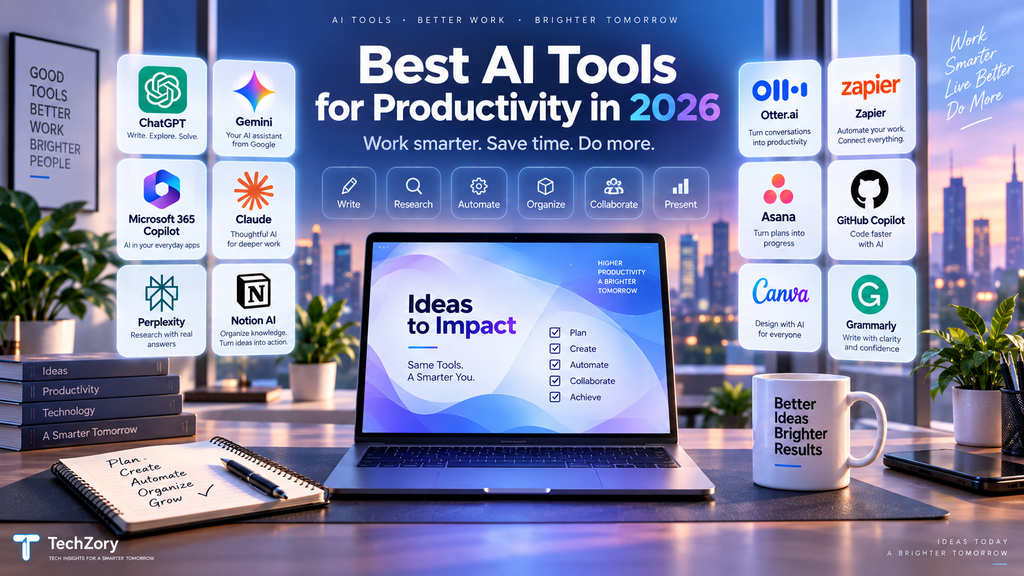
Quick Comparison of the Best AI Tools for Productivity in 2026
The best AI tools for productivity in 2026 are not interchangeable. Each platform is strongest in a different type of workflow, so the most useful tool is usually the one that fits the applications and tasks you already use every day.
| AI Tool | Best For | Main Advantage |
|---|---|---|
| ChatGPT | General productivity | Flexible all-purpose AI assistance |
| Gemini | Google Workspace users | Deep integration with Gmail, Docs, Drive, Sheets, and Slides |
| Microsoft 365 Copilot | Microsoft Office workflows | AI built into Word, Excel, PowerPoint, Outlook, and Teams |
| Claude | Long-form writing and documents | Strong context handling and structured writing |
| Perplexity | Research and source discovery | Web research with visible citations |
| Notion AI | Notes and knowledge management | AI inside a connected team workspace |
| Otter.ai | Meetings | Transcription, summaries, and action items |
| Zapier | Workflow automation | Connects AI and automation across thousands of apps |
| Asana AI | Project management | AI-assisted tasks, projects, and workflow coordination |
| GitHub Copilot | Software development | AI coding assistance directly inside development workflows |
| Canva | Presentations and visual content | Fast AI-assisted visual creation |
| Grammarly | Writing and communication | Real-time writing, rewriting, and editing assistance |
How to Choose the Right AI Productivity Tool
The easiest mistake to make is choosing an AI tool because it has the longest feature list. A better approach is to identify the part of your daily workflow that consumes the most time and then choose a tool designed to improve that specific activity.
If you need one flexible assistant for research, planning, writing, brainstorming, files, and general knowledge work, a broad AI assistant such as ChatGPT may cover many everyday needs.
If most of your work already happens inside Google Workspace, Gemini may provide more value because it can work within the tools you already use. Similarly, organizations centered around Word, Excel, PowerPoint, Outlook, and Teams may benefit more from Microsoft 365 Copilot than from adding another separate AI platform.
Writers and professionals who regularly analyze large documents may prefer Claude, while users whose priority is current research and finding supporting sources may find Perplexity more efficient.
For meetings, a specialized tool such as Otter.ai can be more useful than a general chatbot because transcription, speaker identification, summaries, and follow-up actions are built around the meeting workflow.
Teams should also consider where their existing information lives. If projects and documentation are already organized in Notion or Asana, using the AI features built into those platforms can reduce unnecessary app switching and keep context connected to the work.
Automation is another category entirely. Zapier is most useful when the problem is not creating content but repeatedly moving information or triggering actions between different applications.
Developers should evaluate AI differently from general office users. GitHub Copilot can provide greater productivity gains because it works directly with repositories, editors, code context, testing, and development workflows.
Finally, visual creators and marketers may get more day-to-day value from Canva, while users who mainly want clearer emails, reports, and professional communication may find Grammarly sufficient.
Do You Really Need More Than One AI Subscription?
For most individual users, the answer is no.
AI platforms increasingly overlap. General assistants can write, research, summarize documents, analyze files, and help with planning, while productivity suites are adding similar capabilities directly inside their own applications. Paying for several tools that perform nearly identical tasks can create unnecessary subscription costs without delivering meaningful additional productivity.
A better strategy is to start with one primary AI assistant and add a specialized tool only when it solves a recurring problem that the primary tool does not handle efficiently.
For example, a practical setup might look like this:
- A general AI assistant for research, planning, writing, and everyday questions.
- A specialized meeting tool only if you attend many meetings.
- A coding assistant only if software development is a major part of your work.
- An automation platform only if you repeatedly move information between apps.
- A visual design tool only if presentations, graphics, or marketing assets are produced regularly.
Business users should also check whether AI features are already included in software their organization pays for. Google Workspace, Microsoft 365, Notion, Asana, GitHub, Canva, and other platforms increasingly bundle AI functionality into existing plans or offer it as part of higher subscription tiers.
Before purchasing another subscription, ask three questions:
- What repetitive task will this tool reduce?
- How often will I realistically use it?
- Does one of my existing tools already provide a similar feature?
If the answer to the first two questions is unclear, a free plan or trial is usually a better starting point than immediately adding another recurring subscription.
Privacy and Security When Using AI Productivity Tools
AI productivity tools can save significant time, but they may also process sensitive information such as emails, documents, meeting transcripts, business data, source code, customer records, and internal project information. Before connecting an AI tool to important accounts or uploading confidential material, users should understand how that information is handled.
The first consideration is data access. Some AI tools work only with information that users manually provide, while others can connect directly to services such as Gmail, Google Drive, Microsoft 365, Slack, Notion, GitHub, or project-management platforms. These integrations can make AI much more useful, but they also increase the amount of information the tool may be able to access.
Users should review permissions carefully and grant only the access required for the task. If an AI assistant only needs to summarize one document, for example, giving it broad access to an entire workspace may not be necessary.
Organizations should pay particular attention to administrator controls, data-retention policies, encryption, access management, and whether business data can be used to improve AI models. Enterprise and business plans often provide additional privacy and security controls compared with consumer accounts, but the exact protections vary by provider and subscription.
Meeting assistants require additional care because they may record or transcribe conversations involving several people. Users should make sure participants understand when recording or transcription is taking place and follow applicable organizational policies and local laws.
The same caution applies to source code. Developers should avoid sending passwords, private keys, API credentials, confidential algorithms, or proprietary information to an AI coding assistant unless the organization has approved the tool and configured appropriate protections.
AI-generated output should also be reviewed before it is used in important decisions. A system may confidently produce incorrect facts, outdated information, insecure code, inaccurate summaries, or misleading recommendations. Human verification remains especially important for financial, medical, legal, security, and other high-impact information.
A few practical habits can significantly reduce risk:
- Avoid uploading unnecessary confidential or personal information.
- Review app permissions before connecting accounts.
- Use business or enterprise plans when organizational data requires stronger controls.
- Remove passwords, API keys, private credentials, and sensitive identifiers from prompts.
- Verify important facts, calculations, citations, and generated code.
- Review sharing permissions before distributing AI-generated documents.
- Follow company policies for approved AI tools and data handling.
- Regularly remove integrations that are no longer needed.
The most productive AI setup is not simply the one with the most automation. It is the one that improves everyday work while keeping users in control of their information, permissions, and important decisions.
Frequently Asked Questions
What is the best AI productivity tool in 2026?
There is no single best tool for every user. ChatGPT is a strong general-purpose option, while Gemini is especially useful for Google Workspace users and Microsoft 365 Copilot is better suited to people who work primarily in Word, Excel, PowerPoint, Outlook, and Teams. Specialized tools such as GitHub Copilot, Otter.ai, Zapier, and Canva can provide more value for specific workflows.
Are free AI tools good enough for everyday productivity?
For many users, yes. Free plans can be sufficient for occasional writing, brainstorming, research, summarization, and basic productivity tasks. Paid plans become more valuable when you need higher usage limits, advanced models, larger file support, deeper integrations, automation, team features, or enterprise controls.
Do I need more than one AI tool?
Most individual users do not need several overlapping AI subscriptions. A good approach is to choose one general-purpose assistant and add a specialized tool only when it solves a recurring problem that your main AI tool does not handle efficiently.
Which AI tool is best for research?
Perplexity is particularly useful when source discovery and inline citations are important. ChatGPT and Gemini also offer web-based research features, while Claude can be useful when the task involves analyzing large amounts of provided material. Important information should still be verified using the original sources.
Which AI tool is best for writing?
ChatGPT, Claude, and Grammarly are all strong options, but they serve slightly different needs. ChatGPT is flexible for drafting and brainstorming, Claude is well suited to longer documents and structured writing, and Grammarly is especially useful for polishing, rewriting, tone adjustment, and improving everyday communication.
Which AI tool is best for meetings?
Otter.ai is a strong specialized option for transcription, summaries, searchable meeting records, and action items. Notion AI and Microsoft 365 Copilot can also be useful when meeting notes need to remain connected to a broader workspace or business environment.
Are AI productivity tools safe to use with confidential information?
That depends on the tool, account type, organization settings, and the information being shared. Users should review privacy policies, permissions, retention settings, and enterprise controls before uploading confidential material. Passwords, private keys, sensitive personal information, and unnecessary confidential data should generally be kept out of prompts.
Can AI productivity tools replace employees?
AI tools are generally most useful for reducing repetitive work, accelerating research, drafting content, organizing information, and automating routine processes. They still require human judgment, review, accountability, and domain expertise, especially for important decisions or tasks where mistakes have significant consequences.
Final Thoughts
The best AI tools for productivity in 2026 are the ones that fit naturally into the way you already work. A powerful platform is only useful if it saves time, reduces repetitive effort, improves quality, or helps you complete tasks that would otherwise take significantly longer.
For many users, one flexible AI assistant may be enough. Others may benefit from adding a specialized tool for meetings, automation, coding, project management, visual design, or writing. The goal should not be to collect as many AI subscriptions as possible, but to build a small set of tools that complement each other without creating unnecessary cost or complexity.
It is also important to remember that AI productivity tools are still assistants, not substitutes for judgment. Generated content, summaries, research, code, and recommendations should be reviewed carefully, especially when accuracy, privacy, security, or business decisions are involved.
If you are unsure where to start, choose one tool that addresses your biggest productivity bottleneck and test it in real workflows for a few weeks. Measure whether it actually saves time or improves results before adding another subscription.
AI productivity is moving quickly, and the strongest tools will continue to evolve. The most effective approach is to stay flexible, review your workflow regularly, and use AI where it provides measurable value rather than simply because a new feature is available.








Comments 9