
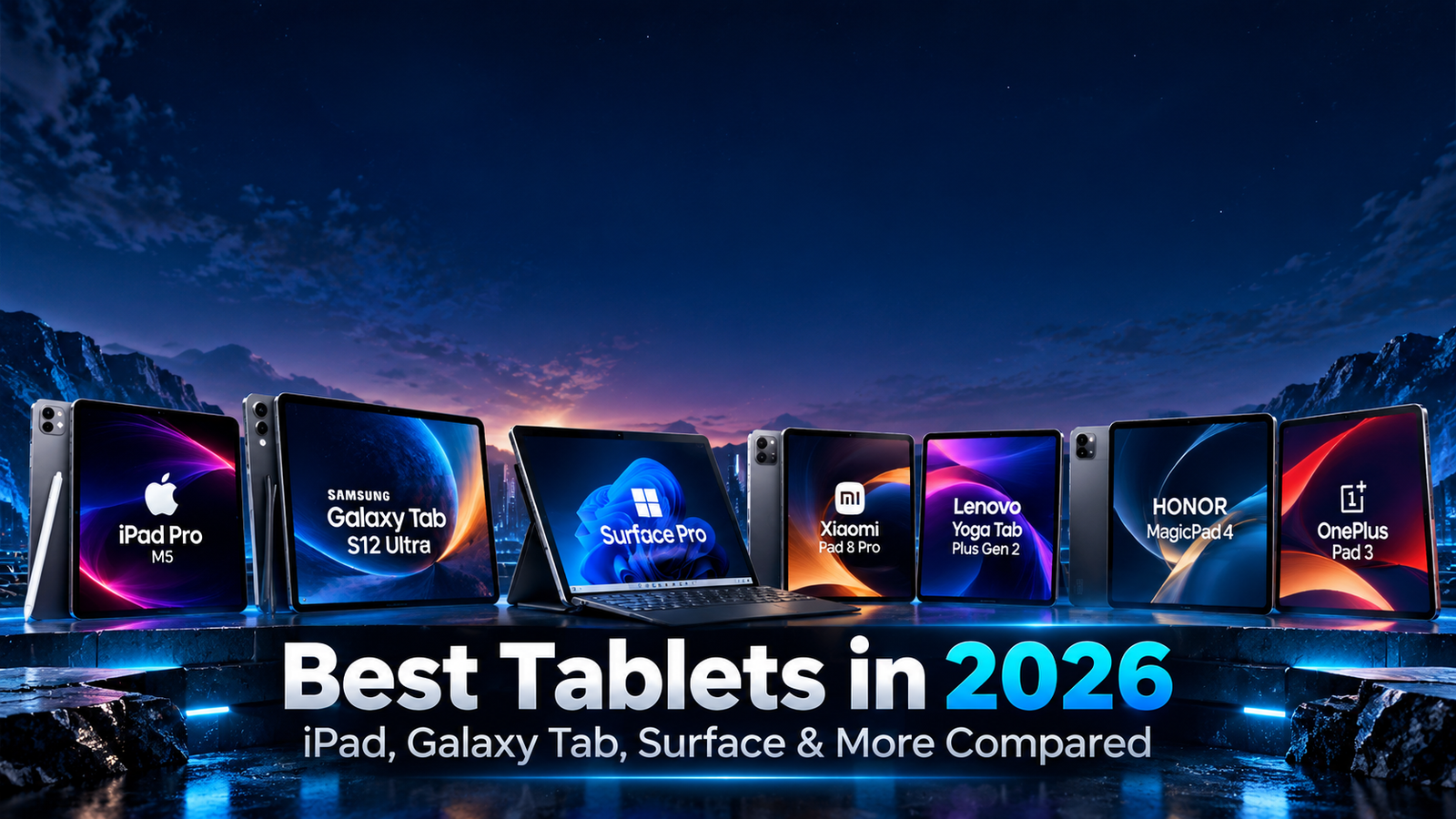
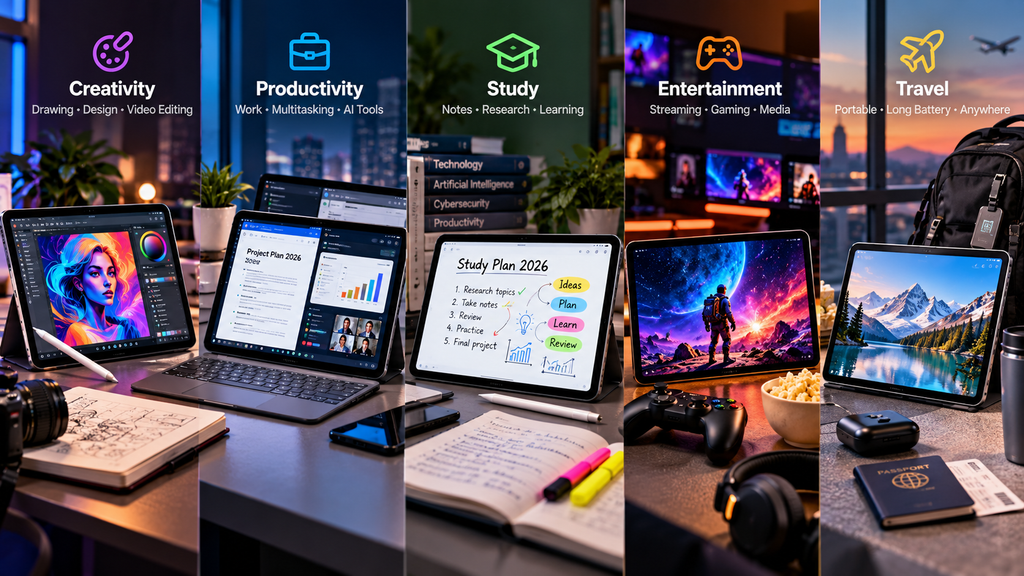
Tablets in 2026 are far more capable than the simple media-consumption devices they once were.
Premium models now offer laptop-class processors, high-refresh-rate displays, advanced stylus support, desktop-style multitasking, powerful AI features, keyboard accessories, and enough performance for photo editing, video production, gaming, note-taking, and professional work.
The challenge is choosing the right platform.
Apple continues to push iPad performance with the M5-powered iPad Pro and the M4 iPad Air.
Samsung has introduced its Galaxy Tab S12 series with large AMOLED displays, Galaxy AI, S Pen support, and expanded productivity features.
Microsoft continues to blur the line between tablet and laptop with Surface Pro.
Meanwhile, Xiaomi, Lenovo, HONOR, and OnePlus offer increasingly competitive Android alternatives.
This guide compares 10 of the best tablets in 2026 for productivity, creativity, entertainment, study, travel, and everyday use.
The devices are organized by use case rather than ranked from best to worst.
Table of Contents
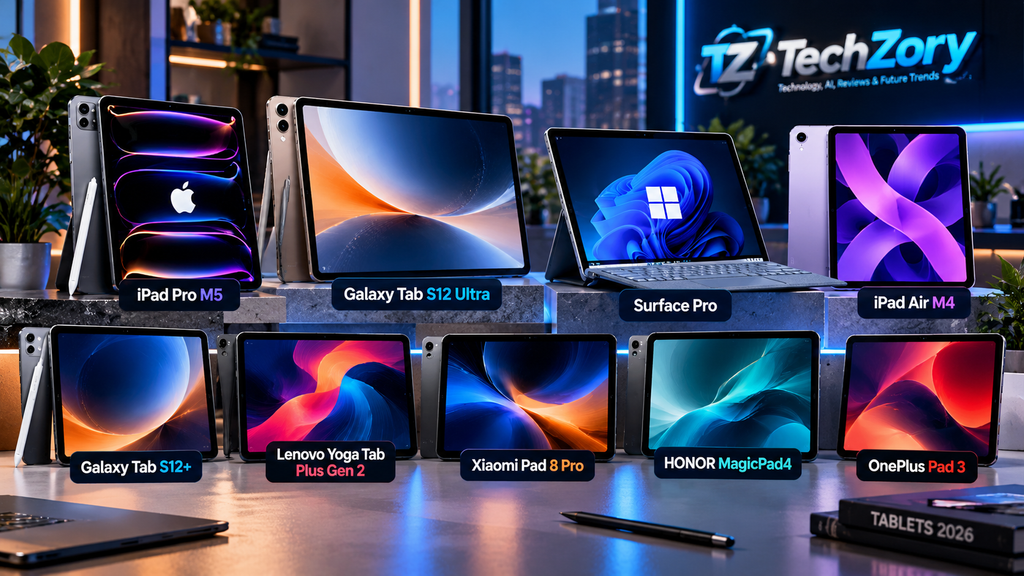
Best Tablets in 2026: Quick Overview
| Tablet | Platform | Main Strength | Best Fit |
|---|---|---|---|
| Apple iPad Pro M5 | iPadOS | Professional performance and OLED display | Creators and power users |
| Samsung Galaxy Tab S12 Ultra | Android | Huge AMOLED display and multitasking | Productivity and media |
| Microsoft Surface Pro 13-inch | Windows 11 | Full desktop operating system | Professionals and business users |
| Apple iPad Air M4 | iPadOS | Performance and portability balance | Students and general productivity |
| Samsung Galaxy Tab S12+ | Android | Premium features in a smaller size | Galaxy users |
| Lenovo Yoga Tab Plus Gen 2 | Android | AI performance and large battery | Productivity and entertainment |
| Xiaomi Pad 8 Pro | Android | Strong hardware and high-refresh display | Gaming and value-focused buyers |
| HONOR MagicPad4 | Android | Ultra-thin OLED design | Media and mobile productivity |
| OnePlus Pad 3 | Android | Large display and fast charging | Multitasking and entertainment |
| Apple iPad 11-inch A16 | iPadOS | Simplicity and mainstream value | Students and everyday use |
1. Apple iPad Pro M5 — Professional Tablet Performance
The current iPad Pro remains one of the most powerful tablets available in 2026.
Apple offers it in 11-inch and 13-inch sizes, both using the M5 chip.
The M5 includes a powerful CPU, 10-core GPU, Neural Accelerators, and a 16-core Neural Engine designed to accelerate AI workloads.
The 1TB and 2TB configurations also include more unified memory than the lower-storage models.
The display remains one of the device’s strongest features.
Apple uses an Ultra Retina XDR tandem OLED panel with ProMotion technology supporting refresh rates up to 120Hz.
The iPad Pro also supports Apple Pencil Pro and Apple’s Magic Keyboard.
Connectivity includes Thunderbolt / USB 4, Wi-Fi 7, and Bluetooth 6. Cellular configurations also support 5G.
The iPad Pro makes the most sense for users working with:
Video editing.
Digital illustration.
Photo editing.
Music production.
3D applications.
Programming workflows supported by iPadOS.
AI-assisted creative applications.
Its biggest limitation is not hardware.
It is whether iPadOS supports the specific professional applications and workflows a buyer needs.
For users whose software depends heavily on traditional desktop applications, Surface Pro or a laptop may still be more practical.
Best fit: Creative professionals, designers, advanced students, photographers, and users who want maximum iPad performance.
2. Samsung Galaxy Tab S12 Ultra — Large-Screen Android Productivity
Samsung announced the Galaxy Tab S12 Ultra on September 30, 2026, as part of its newest premium tablet generation.
The Ultra model uses a 14.6-inch Dynamic AMOLED 2X display with a 2960 × 1848 resolution and 120Hz refresh rate.
Samsung lists peak brightness of up to 1,600 nits.
Performance comes from the MediaTek Dimensity 9500 platform.
Configurations reach up to 16GB of memory and 1TB of storage, while microSD expansion supports cards up to 2TB.
The tablet also includes an S Pen in the box.
Its 11,600mAh battery supports 45W charging, and Samsung lists Wi-Fi 7 on the Ultra model.
IP68 water and dust resistance adds another advantage over many competing premium tablets.
Samsung plans availability beginning October 7, 2026, in select markets.
The Tab S12 Ultra is especially attractive for people who want a tablet to function almost like a portable workstation.
The enormous display provides room for:
Split-screen applications.
Large spreadsheets.
Drawing.
Video timelines.
Documents.
Galaxy AI tools.
Samsung DeX-style productivity workflows.
The disadvantage is portability.
At 14.6 inches, this is closer in size to a laptop screen than a conventional tablet.
Best fit: Android power users, digital artists, Galaxy ecosystem users, and anyone prioritizing maximum screen space.
3. Microsoft Surface Pro 13-inch — Tablet With Full Windows
Surface Pro takes a fundamentally different approach from iPad and Android tablets.
Instead of running a mobile-first operating system, it runs Windows 11.
The current 13-inch Surface Pro uses Snapdragon X2 Plus or Snapdragon X2 Elite processors.
Microsoft offers both LCD and OLED display configurations with a resolution of 2880 × 1920 and refresh rates up to 120Hz.
It includes two USB-C / USB4 ports plus Surface Connect.
The device weighs around 1.97 pounds before adding the keyboard.
Surface keyboards and the Surface Slim Pen are sold separately in many configurations.
The key advantage is software compatibility.
Surface Pro can run traditional Windows programs such as:
Microsoft Office desktop applications.
Professional productivity tools.
Development environments.
File-management applications.
Many enterprise applications.
Desktop browsers with full extension support.
This makes Surface Pro appealing to users who want the flexibility of a tablet without abandoning a desktop-class operating system.
The tradeoff is that the experience can feel more like a detachable laptop than a simple consumption tablet.
Best fit: Business users, students, professionals, and people who need traditional Windows software.
4. Apple iPad Air M4 — Powerful Without Going Full Pro
Apple updated the iPad Air with the M4 chip in March 2026.
It comes in 11-inch and 13-inch sizes and offers a strong middle ground between the mainstream iPad and the iPad Pro.
The M4 configuration includes an 8-core CPU, 9-core GPU, 16-core Neural Engine, and 12GB of unified memory.
Apple also supports hardware-accelerated ray tracing and Apple Intelligence features.
The iPad Air works with Apple Pencil Pro and Apple’s Magic Keyboard.
Storage options range from 128GB to 1TB.
The biggest reason to choose the Air instead of the Pro is value.
Most students and productivity users do not need the iPad Pro’s tandem OLED display, Thunderbolt bandwidth, or maximum-performance configurations.
The Air still provides enough power for:
Note-taking.
Drawing.
Photo editing.
Video editing.
Presentations.
Research.
Multitasking.
Gaming.
For many buyers, it represents the most balanced iPad in Apple’s current lineup.
Best fit: Students, teachers, professionals, creators, and users who want high performance without paying for the iPad Pro.
5. Samsung Galaxy Tab S12+ — Premium Android Without the Ultra Size
The Galaxy Tab S12+ provides many of the same core features as the Ultra model in a more manageable form.
Samsung uses a 12.6-inch Dynamic AMOLED 2X panel with a 2800 × 1752 resolution and 120Hz refresh rate.
Like the Ultra, it uses the Dimensity 9500 platform and ships with Android 17 and One UI 9.
The tablet includes 12GB of memory, supports storage configurations up to 512GB, and provides microSD expansion up to 2TB.
Battery capacity is 10,600mAh with 45W charging.
Samsung also includes the S Pen in the box and provides IP68 resistance.
The S12+ may actually be the more practical choice for many users.
Its display is still large enough for serious productivity, while the smaller body is easier to carry than the 14.6-inch Ultra.
As with the Ultra, Samsung announced availability beginning October 7, 2026, in selected markets.
Best fit: Galaxy phone owners, students, professionals, artists, and users who want a premium Android tablet without the size of the Ultra.
6. Lenovo Yoga Tab Plus Gen 2 — Large Battery and Android 17
Lenovo’s Yoga Tab Plus Gen 2 is one of the more interesting productivity-focused Android tablets in 2026.
Configurations use the Snapdragon 8 Elite platform with up to 16GB of LPDDR5X memory.
Storage options include UFS 4.0, and Lenovo supports microSD expansion up to 2TB.
The tablet ships with Android 17 or later.
Battery capacity reaches 12,700mAh.
Lenovo also equips the device with six Harman Kardon speakers optimized with Dolby Atmos.
Certain bundles include the Lenovo Tab Pen Pro 2 and an all-in-one keyboard, although included accessories can vary by market and package.
That makes the Yoga Tab Plus Gen 2 attractive for users who want a tablet to serve several roles:
Entertainment device.
Digital notebook.
Portable productivity machine.
Media viewer.
Light creative workstation.
The large battery is particularly useful for travel and long study sessions.
Best fit: Students, frequent travelers, Android productivity users, and media-focused buyers.
7. Xiaomi Pad 8 Pro — High-Refresh Performance at a Competitive Position
The Xiaomi Pad 8 Pro combines flagship-class hardware with a relatively compact 11.2-inch design.
Its display uses a 3200 × 2136 resolution with refresh rates up to 144Hz.
Xiaomi pairs that panel with Qualcomm’s Snapdragon 8 Elite platform.
Configurations include up to 12GB of memory and 512GB of storage.
The tablet weighs approximately 485 grams and measures around 5.75mm thick in the standard version.
Battery capacity is 9,200mAh with support for 67W HyperCharge.
Xiaomi also promotes desktop-style productivity through HyperOS and support for accessories such as the Focus Pen Pro.
The 144Hz display makes the Pad 8 Pro particularly interesting for gaming and fast interface navigation.
Buyers should check regional software support, accessories, and availability because Xiaomi’s tablet offerings can vary significantly between markets.
Best fit: Android gamers, students, media users, and buyers seeking flagship-level specifications.
8. HONOR MagicPad4 — Ultra-Thin OLED Tablet
HONOR’s MagicPad4 places a major emphasis on display quality and portability.
The tablet uses a 12.3-inch 3K OLED display supporting refresh rates up to 165Hz.
HONOR lists peak brightness reaching 2,400 nits under supported conditions.
Despite its large display, the tablet measures approximately 4.8mm thick and weighs around 450 grams.
Performance comes from the Snapdragon 8 Gen 5 platform.
Battery capacity is 10,100mAh with 66W charging.
The tablet also includes an eight-speaker audio system and Wi-Fi 7 support.
Accessories include the Magic-Pencil 4s and Smart Touch Keyboard.
HONOR also emphasizes cross-device connectivity across Android, iOS, Windows, and macOS.
This makes MagicPad4 particularly interesting to users who do not want their tablet restricted to a single hardware ecosystem.
Best fit: Travelers, media enthusiasts, digital note-takers, and users who prioritize a thin OLED tablet.
9. OnePlus Pad 3 — Big Display and Very Fast Charging
The OnePlus Pad 3 remains a strong premium Android tablet in the 2026 market.
It uses Qualcomm’s Snapdragon 8 Elite platform and features a 13.2-inch 3.4K display with refresh rates up to 144Hz.
The chassis measures approximately 5.97mm thick.
OnePlus equips the device with a large 12,140mAh battery and supports 80W fast charging.
The tablet also features an eight-speaker audio system and supports OnePlus accessories including the Stylo 2 and Smart Keyboard.
OnePlus has also built multitasking features that allow multiple applications to appear on screen simultaneously.
The Pad 3 works particularly well for users already using a OnePlus phone because cross-device features are more tightly integrated.
Its large display makes it useful for entertainment, documents, gaming, and multitasking.
Best fit: OnePlus users, entertainment enthusiasts, multitaskers, and buyers who value fast charging.
10. Apple iPad 11-inch A16 — Mainstream Tablet for Everyday Use
Not every buyer needs a flagship tablet.
Apple’s mainstream 11-inch iPad uses the A16 chip and targets everyday computing at a lower entry price than the iPad Air or iPad Pro.
It includes an 11-inch Liquid Retina display, 12MP rear camera, landscape-oriented 12MP Center Stage front camera, USB-C, and support for Apple Pencil.
It also works with the Magic Keyboard Folio.
The standard iPad is suitable for:
Web browsing.
Streaming.
Schoolwork.
Video calls.
Reading.
Basic note-taking.
Light gaming.
Simple productivity.
The main limitation is that it lacks some of the more advanced hardware found in M-series iPads, including Apple Intelligence support on this A16 model.
For users who simply want a reliable tablet without professional-level specifications, that tradeoff may be completely reasonable.
Best fit: Families, students, casual users, and buyers who want a straightforward iPad.
Which Tablet Is Right for You?
Choosing a tablet should begin with the operating system and applications you need.
If you already use an iPhone, Mac, and Apple services, an iPad provides strong ecosystem integration.
If you use Galaxy phones and Samsung services, Galaxy Tab offers similar benefits within Samsung’s ecosystem.
Surface Pro is fundamentally different because it runs Windows.
That makes it more suitable when traditional desktop software is essential.
Android tablets from Xiaomi, Lenovo, HONOR, and OnePlus provide greater hardware variety and can offer excellent specifications without requiring buyers to remain inside one ecosystem.
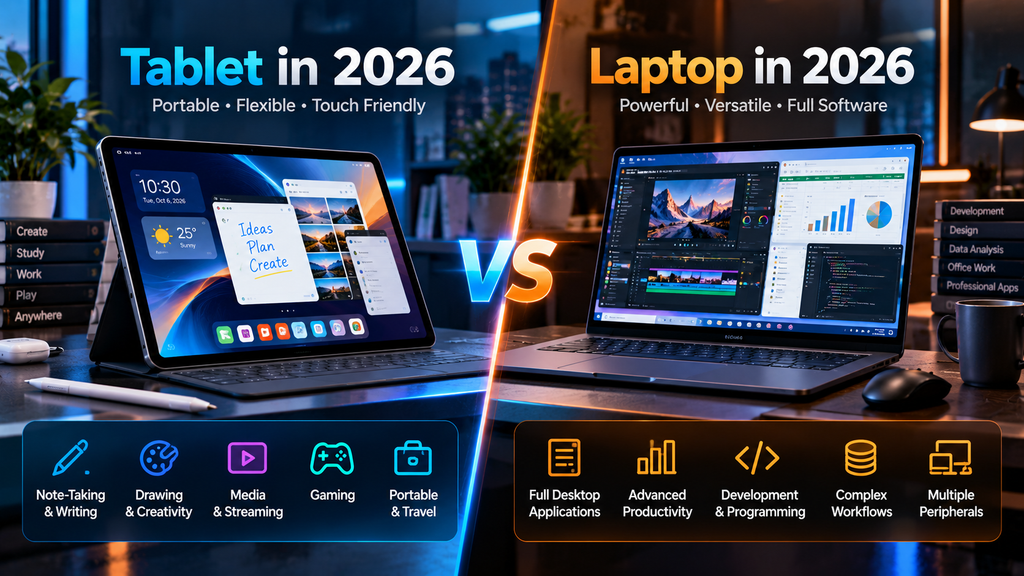
Tablet vs. Laptop in 2026
Modern tablets can replace laptops for many tasks, but not every workflow.
A tablet works particularly well for:
Reading.
Handwritten notes.
Drawing.
Streaming.
Presentations.
Web browsing.
Email.
Mobile productivity.
Photo editing.
Portable gaming.
A laptop remains preferable for many users who require:
Complex spreadsheet workflows.
Specialized desktop software.
Software development.
Multiple external peripherals.
Heavy file management.
Advanced professional applications.
The Surface Pro attempts to bridge both categories because it combines a tablet design with Windows.
If you are still deciding between a tablet and a traditional notebook, see our guide to the best laptops in 2026 for work, gaming, and everyday use.
iPadOS vs. Android vs. Windows
iPadOS
iPadOS provides a polished touch interface, strong creative applications, long-term software support, and tight Apple ecosystem integration.
Its limitations usually involve desktop software compatibility and system flexibility.
Android
Android provides more hardware choice.
Samsung, Xiaomi, Lenovo, HONOR, and OnePlus all offer different screen sizes, accessories, price levels, and features.
Software-update policies vary significantly between manufacturers.
Windows
Windows provides the broadest traditional desktop software compatibility.
However, Windows tablets may not always feel as simple or touch-focused as iPadOS and Android.
How Much RAM Does a Tablet Need?
For basic browsing, streaming, and everyday tasks, 6GB to 8GB can still be sufficient.
For serious multitasking, creative applications, gaming, or long-term use, 12GB provides more headroom.
Users running demanding professional or AI workloads may benefit from 16GB or more when available.
Memory should be considered alongside operating-system efficiency.
An iPad and an Android tablet with identical RAM capacities do not necessarily behave the same way.
How Much Storage Do You Need?
128GB is adequate for light users who rely heavily on cloud storage and streaming.
256GB provides more flexibility for applications, offline media, and documents.
Creators working with large video or photo files should consider 512GB or more.
Expandable storage can be a major advantage.
Galaxy Tab S12 and Lenovo Yoga Tab Plus Gen 2 support microSD expansion, while Apple’s iPads rely entirely on internal storage and external drives.
OLED vs. LCD Tablet Displays
OLED displays provide excellent contrast, deep blacks, and strong HDR performance.
The iPad Pro, Galaxy Tab S12 series, and HONOR MagicPad4 are examples of premium tablets using OLED technology.
LCD remains capable of excellent image quality and may reduce cost.
Devices such as iPad Air, OnePlus Pad 3, Xiaomi Pad 8 Pro, and Surface configurations with LCD panels can still provide sharp, bright displays.
The right choice depends on whether contrast, HDR video, and creative color work justify paying more.
Do You Need a 120Hz or 165Hz Display?
Higher refresh rates make scrolling, pen input, gaming, and animations feel smoother.
For reading documents or watching standard video, the difference may be less important.
Gamers and artists are more likely to appreciate 120Hz, 144Hz, or 165Hz displays.
Battery consumption can also increase depending on refresh-rate behavior and software.
Keyboard and Stylus Support
Accessories can dramatically change what a tablet can do.
Apple offers Magic Keyboard and Apple Pencil.
Samsung includes S Pen with its Tab S12 premium models.
Microsoft offers Surface keyboards and Surface Slim Pen.
Lenovo, Xiaomi, HONOR, and OnePlus also provide proprietary keyboard and stylus accessories.
Always check whether accessories are included or sold separately.
A tablet that appears competitively priced can become considerably more expensive after adding a keyboard, stylus, and protective case.
AI Features in Tablets
Artificial intelligence is becoming increasingly integrated into tablet platforms.
Apple promotes Apple Intelligence on M-series iPads.
Samsung integrates Galaxy AI into its premium tablets.
Microsoft positions Surface Pro as a Copilot+ PC.
Lenovo, Xiaomi, HONOR, and OnePlus also provide AI tools for writing, summarization, image work, transcription, and productivity.
However, AI capabilities should not be the only reason to choose a tablet.
Display quality, software support, performance, storage, battery life, and application compatibility usually matter more over the lifetime of the device.
You can also explore our guide to the best AI tools for productivity in 2026 to see how modern AI software fits into everyday work and study.
Wi-Fi vs. Cellular Tablets
Wi-Fi-only tablets cost less and are sufficient for users who spend most of their time at home, school, or work.
Cellular models provide greater independence when traveling.
5G becomes useful for:
Remote work.
Navigation.
Travel.
Video conferencing.
Cloud applications.
Always-connected productivity.
However, cellular versions cost more and may require an additional carrier plan.
Frequently Asked Questions
What are the best tablets in 2026?
Strong current options include iPad Pro M5, Galaxy Tab S12 Ultra, Surface Pro, iPad Air M4, Galaxy Tab S12+, Lenovo Yoga Tab Plus Gen 2, Xiaomi Pad 8 Pro, HONOR MagicPad4, OnePlus Pad 3, and the standard iPad.
The right model depends on operating system, applications, display size, accessories, and budget.
Which tablet is suitable for professional work?
iPad Pro M5, Surface Pro, and Galaxy Tab S12 Ultra are among the strongest options for demanding productivity.
Surface Pro has the advantage of running full Windows applications.
Which tablet is suitable for students?
iPad Air M4, standard iPad, Galaxy Tab S12+, and several Android alternatives can all work well.
The best choice depends on school software, note-taking requirements, and budget.
Which tablet is suitable for artists?
iPad Pro with Apple Pencil Pro and Galaxy Tab S12 with S Pen are strong creative options.
HONOR, Lenovo, Xiaomi, and OnePlus also support stylus accessories.
Which tablet is suitable for gaming?
High-performance tablets such as iPad Pro M5, Xiaomi Pad 8 Pro, OnePlus Pad 3, HONOR MagicPad4, and Galaxy Tab S12 can handle demanding mobile games.
Can a tablet replace a laptop?
For many users, yes.
But professionals relying on specialized desktop applications should verify software support first.
Surface Pro provides the closest traditional laptop experience because it runs Windows.
Is 128GB enough for a tablet?
It can be sufficient for light users.
256GB is generally more comfortable for long-term use.
Creators and users storing large media libraries should consider 512GB or more.
Should I buy an OLED tablet?
OLED is especially useful for media, HDR video, creative work, and users who appreciate high contrast.
It is not essential for basic productivity.
Final Thoughts
The best tablets in 2026 cover a much wider range of needs than previous generations.
iPad Pro M5 focuses on professional performance and creative applications.
Galaxy Tab S12 Ultra offers one of the largest premium Android tablet experiences available.
Surface Pro combines tablet portability with Windows software compatibility.
iPad Air M4 provides much of Apple’s high-end performance at a more accessible level.
Galaxy Tab S12+ delivers premium Samsung features in a more portable design.
Lenovo Yoga Tab Plus Gen 2 combines strong hardware with a very large battery.
Xiaomi Pad 8 Pro focuses on performance and a high-refresh display.
HONOR MagicPad4 emphasizes an extremely thin OLED design.
OnePlus Pad 3 combines a large screen with fast charging.
The standard iPad remains a straightforward option for everyday use.
Rather than choosing a tablet solely because it has the fastest processor or largest display, consider how it fits into your existing devices and software.
The right tablet is the one that supports your actual workflow while remaining comfortable enough to use every day.