

Buying a laptop in 2026 is more complicated than simply choosing between Windows and macOS.
Modern laptops now combine traditional CPU and GPU performance with dedicated AI processors, longer battery life, OLED displays, Wi-Fi 7, faster storage, improved webcams, and increasingly capable integrated graphics.
The result is a market filled with excellent computers — but also more choices than most buyers actually need.
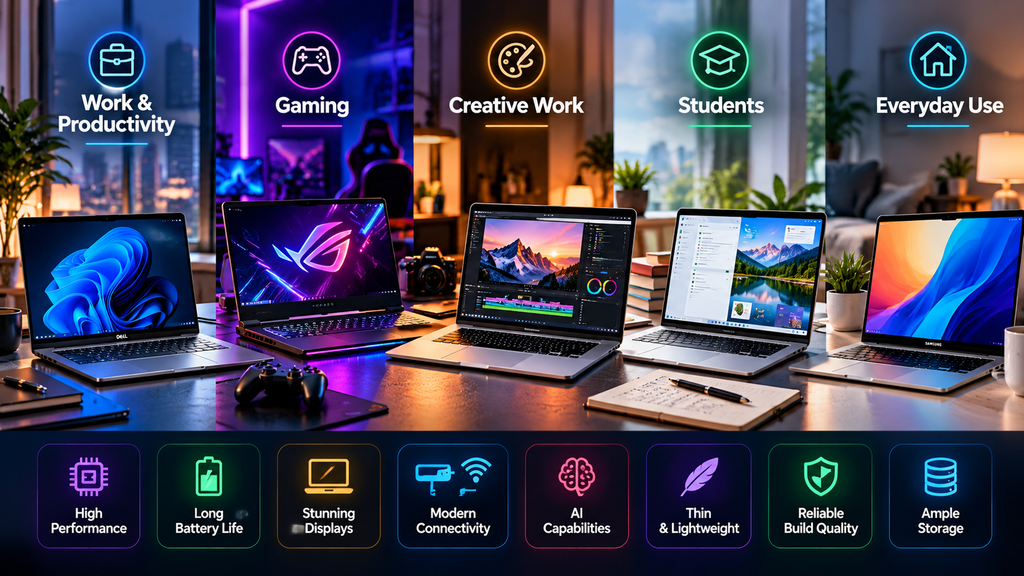
A student may prioritize battery life and portability.
A business user may care more about security, keyboard quality, connectivity, and durability.
A creator may need a high-resolution display and substantial processing power.
A gamer may need dedicated NVIDIA graphics, strong cooling, and a high-refresh-rate display.
This guide compares 10 of the best laptops in 2026 across work, gaming, creative tasks, travel, study, and everyday computing.
The models are presented by use case rather than as a strict best-to-worst ranking.
Table of Contents
Best Laptops in 2026: Quick Overview
| Laptop | Main Strength | Platform | Best Fit |
|---|---|---|---|
| MacBook Air M5 | Portability and battery life | macOS | Students, professionals and everyday users |
| Surface Laptop 8th Edition | Premium Windows productivity | Windows 11 | Office work and mobile professionals |
| Dell XPS 14 | Premium design and performance | Windows 11 | Creators and premium laptop buyers |
| ThinkPad X1 Carbon Gen 14 | Business mobility | Windows 11 | Business and enterprise users |
| Galaxy Book6 Pro | Display, portability and Galaxy integration | Windows 11 | Samsung ecosystem users |
| HP OmniBook Ultra 14 | AI performance and battery efficiency | Windows 11 | Mobile professionals and AI workloads |
| MacBook Pro M5 Pro / M5 Max | Professional performance | macOS | Developers and content creators |
| ROG Zephyrus G14 (2026) | Portable gaming power | Windows 11 | Gamers and creators |
| LG gram Pro | Large display with low weight | Windows 11 | Travelers and productivity users |
| Acer Swift Go 14 AI | Balanced features and efficiency | Windows 11 | Everyday users and students |
1. Apple MacBook Air M5 — Lightweight Everyday Performance
The MacBook Air continues to target users who want strong everyday performance without carrying a heavy workstation.
Apple introduced the M5 version in March 2026 in both 13-inch and 15-inch sizes.
The M5 model uses a 10-core CPU and a next-generation GPU with Neural Accelerators designed to accelerate AI workloads.
Apple also increased the standard storage to 512GB and now allows configurations up to 4TB.
Other upgrades include Wi-Fi 7, Bluetooth 6 and Apple’s N1 wireless chip.
Battery life is rated at up to 18 hours, while the familiar fanless design keeps the laptop silent during normal operation.
The MacBook Air is particularly attractive for people who spend most of their time in:
Web browsers.
Office applications.
Programming environments.
Video calls.
Light photo and video editing.
Productivity applications.
Its biggest limitation remains sustained heavy workloads.
Because the MacBook Air has no internal fan, professionals performing lengthy rendering, 3D, simulation or other intensive workloads may benefit from a MacBook Pro instead.
Best fit: Students, writers, programmers, business users and anyone who prioritizes portability and battery life.
2. Microsoft Surface Laptop 8th Edition — Premium Windows Productivity
Microsoft’s current Surface Laptop lineup provides 13-inch, 13.8-inch and 15-inch options.
The 13-inch model uses Snapdragon X Plus, while the larger configurations can use Snapdragon X2 Plus or Snapdragon X2 Elite processors.
Microsoft rates battery life at up to 23 hours of local video playback on the 13-inch model, up to 20 hours on the 13.8-inch version and up to 19 hours on the 15-inch version.
The 13.8-inch and 15-inch models also feature 120Hz PixelSense touchscreens.
Surface Laptop’s major advantage is its clean integration with Windows.
The design is simple, lightweight and aimed heavily at productivity.
Its 3:2 display ratio also provides more vertical space than many traditional widescreen laptops, which can be useful for documents, spreadsheets and web browsing.
One consideration with Snapdragon-based Windows systems is application compatibility.
Windows on Arm has improved substantially, but users who depend on specialized legacy applications, drivers or uncommon peripherals should confirm compatibility before purchasing.
Best fit: Office productivity, remote work, meetings, travel and users who want a premium Windows alternative to MacBook Air.
3. Dell XPS 14 — Premium Windows Laptop for Creators
Dell’s 2026 XPS 14 returns the XPS family to the premium Windows market with Series 3 Intel Core Ultra processors.
The current model supports processors up to Core Ultra X9 and uses Intel Arc graphics.
Dell lists a starting weight of approximately 3 pounds and a chassis thickness of around 14.6mm.
The company also advertises extremely long streaming battery figures on configurations using the 2K display, although real-world battery life will vary substantially depending on brightness, workload and configuration.
The XPS 14 is designed for buyers who want a balance between:
Portability.
Premium construction.
Display quality.
Performance.
Battery efficiency.
The XPS line has traditionally targeted creative and professional users, and Dell describes the current XPS 14 as a machine designed for creation on the go.
Users who need dedicated graphics should check the exact configuration carefully, because Dell sells multiple XPS generations and configurations with significantly different graphics capabilities.
Best fit: Premium Windows buyers, photographers, professionals and creators who value design and portability.
4. Lenovo ThinkPad X1 Carbon Gen 14 Aura Edition — Business Mobility
Few laptop families are as closely associated with business computing as the ThinkPad X1 Carbon.
The Gen 14 Aura Edition continues that approach while adding newer AI-focused hardware.
Lenovo positions the machine as an ultralight 14-inch Copilot+ PC for enterprise leaders, IT decision-makers and mobile professionals.
The device starts at under 1kg in some configurations and includes Wi-Fi 7 support.
Lenovo also retains extensive connectivity, including three Thunderbolt 4 ports.
An interesting addition is improved repairability.
Lenovo highlights several customer-replaceable components, including access to internal parts, battery and keyboard replacement.
That combination makes the X1 Carbon especially interesting for companies that care about device lifecycle and maintainability.
ThinkPads are also known for focusing heavily on keyboard experience, security and business connectivity rather than entertainment-oriented design.
The tradeoff is pricing.
Premium enterprise laptops can cost substantially more than mainstream consumer systems with similar raw processor specifications.
Best fit: Executives, frequent travelers, enterprise environments and professionals who prioritize business features and portability.
5. Samsung Galaxy Book6 Pro — Thin Windows Laptop for the Galaxy Ecosystem
Samsung’s Galaxy Book6 Pro is available in 14-inch and 16-inch configurations.
It uses Intel Core Ultra Series 3 processors and can be configured with up to 32GB of memory and 1TB of SSD storage.
The standout feature is the Dynamic AMOLED 2X touchscreen.
Samsung specifies a dynamic refresh range up to 120Hz and HDR brightness reaching up to 1000 nits under supported conditions.
Samsung also claims up to 30 hours of video playback, depending on model and usage.
The Galaxy Book6 Pro becomes more attractive when combined with other Samsung devices.
Users already carrying a Galaxy phone, tablet or earbuds can take advantage of Samsung’s broader device ecosystem.
Samsung has also improved cooling with a vapor chamber and redesigned vents while maintaining a thin aluminum chassis.
For buyers who prioritize display quality, the AMOLED screen is one of the strongest reasons to consider this model.
Best fit: Galaxy ecosystem users, frequent travelers, media consumption and productivity users who value an OLED-class display.
6. HP OmniBook Ultra 14 — AI-Focused Mobility
HP’s latest OmniBook Ultra 14 targets professionals who want a highly portable Copilot+ PC.
The system uses Snapdragon X2 processors, including configurations with Snapdragon X2 Elite.
HP lists NPU performance of up to 85 TOPS on higher configurations.
Display options include a 2K OLED touchscreen and a higher-resolution 3K OLED panel.
HP also emphasizes portability, with the chassis measuring around 10.7mm in some configurations and weighing under 1.3kg.
Battery claims reach as high as 44 hours under HP’s specific testing conditions, although actual battery life depends heavily on workload and settings.
This machine is especially interesting because it illustrates where premium Windows laptops are heading.
More processing is moving onto dedicated NPUs, allowing certain AI tasks to run locally rather than entirely in the cloud.
As with Surface Laptop, however, Snapdragon architecture means users with specialized Windows software should confirm Arm compatibility.
Best fit: Mobile professionals, AI-assisted productivity and users who prioritize thin design and battery efficiency.
7. Apple MacBook Pro with M5 Pro or M5 Max — Professional Creative Performance
The MacBook Pro remains Apple’s higher-performance alternative to the MacBook Air.
Apple introduced new 14-inch and 16-inch models with M5 Pro and M5 Max in March 2026.
The new generation adds faster CPU and GPU performance, Neural Accelerators, increased memory bandwidth and faster SSD performance.
M5 Pro configurations start with 1TB of storage, while M5 Max models start with 2TB.
Apple also added Wi-Fi 7 and Bluetooth 6 through its N1 wireless chip.
Battery life can reach up to 24 hours under Apple’s testing conditions.
Connectivity includes Thunderbolt 5, and the laptops retain the Liquid Retina XDR display, 12MP Center Stage camera and six-speaker audio system.
MacBook Pro makes much more sense than MacBook Air for sustained workloads such as:
Professional video editing.
Large software projects.
3D workloads.
Photography workflows.
Audio production.
Local AI development.
The tradeoff is weight and cost.
For general browsing, writing and office work, much of this performance would be unnecessary.
Best fit: Developers, filmmakers, photographers, designers and professionals running sustained demanding workloads.
8. ASUS ROG Zephyrus G14 (2026) — Portable Gaming and Creation
Gaming laptops traditionally force buyers to choose between power and portability.
The 2026 ROG Zephyrus G14 attempts to provide both.
ASUS offers the new G14 with Intel Core Ultra 9 386H and GPU configurations reaching NVIDIA GeForce RTX 5080 Laptop graphics.
The 14-inch OLED display uses a 2880 × 1800 resolution, 120Hz refresh rate, G-SYNC support and full DCI-P3 coverage.
ASUS also lists configurations with up to 64GB of LPDDR5X memory.
Despite the hardware, the machine remains relatively compact.
The chassis is roughly 1.59cm thick at its thinnest point, making it much easier to transport than traditional desktop-replacement gaming machines.
The obvious compromises are heat, fan noise and battery life when the dedicated GPU is heavily loaded.
High-end configurations can also become expensive quickly.
For someone who wants one computer capable of gaming, video editing and creative software without carrying a very large laptop, however, the G14 occupies an interesting middle ground.
Best fit: Gamers, game developers, video creators and users who need dedicated graphics in a portable machine.
9. LG gram Pro — Big Screen Without Traditional Big-Laptop Weight
Large laptops are useful for productivity, but they are often unpleasant to carry.
LG’s gram family has always focused on reducing that compromise.
The 2026 LG gram lineup includes gram Pro models in larger screen sizes, including 16-inch and 17-inch versions.
LG introduced a new Aerominum chassis material on select 2026 gram Pro configurations to reduce weight while maintaining rigidity.
The lineup supports next-generation Intel Core Ultra and AMD Ryzen AI processors, and selected gram Pro configurations are available with NVIDIA GeForce discrete graphics.
LG also emphasizes its Dual AI approach, combining on-device processing with cloud-based AI features.
The gram Pro is especially attractive to people who frequently work with:
Large spreadsheets.
Multiple documents.
Programming environments.
Presentations.
Photo workflows.
The large display gives users more working space without forcing them into a particularly heavy laptop.
Users requiring maximum gaming performance should still choose a dedicated gaming machine.
Best fit: Business travelers, productivity users and professionals who want a large display without carrying a heavy workstation.
10. Acer Swift Go 14 AI — Balanced Everyday Windows Laptop
Not every buyer needs a premium flagship.
Acer’s Swift Go 14 AI focuses on a more balanced combination of portability, battery efficiency and modern AI capabilities.
The Snapdragon-based model is a Copilot+ PC with up to 45 TOPS of NPU performance and configurations with up to 32GB of LPDDR5X memory.
Acer claims battery life of up to 28 hours under its testing conditions.
The Swift Go family is particularly relevant for users who want newer Windows AI features without moving into the most expensive premium category.
It can handle typical workloads such as:
Documents and spreadsheets.
Web browsing.
Video meetings.
Streaming.
Research.
Light creative work.
Again, buyers choosing the Arm version should check specialized software compatibility.
For mainstream everyday use, however, Windows on Arm is becoming increasingly practical.
Best fit: Students, general productivity, home users and buyers who want a modern Windows laptop without paying flagship prices.
Which Laptop Is Right for You?
The correct laptop depends much more on workload than brand.
For general everyday computing, the MacBook Air M5, Surface Laptop and Acer Swift Go 14 AI provide more than enough performance for most people.
Business users may prefer the ThinkPad X1 Carbon because of its portability, enterprise focus and connectivity.
Samsung phone owners may find the Galaxy Book6 Pro particularly convenient because of ecosystem integration.
Users who want a large screen without excessive weight should consider the LG gram Pro.
Creative professionals can look toward Dell XPS 14 or MacBook Pro depending on their preferred operating system and software.
Gaming changes the equation significantly.
Dedicated graphics remain important for demanding modern games, which makes the ROG Zephyrus G14 much more appropriate than thin productivity-focused systems.
If you are planning a broader device upgrade, see our guide to tech products worth upgrading in 2026.
How Much RAM Do You Need in 2026?
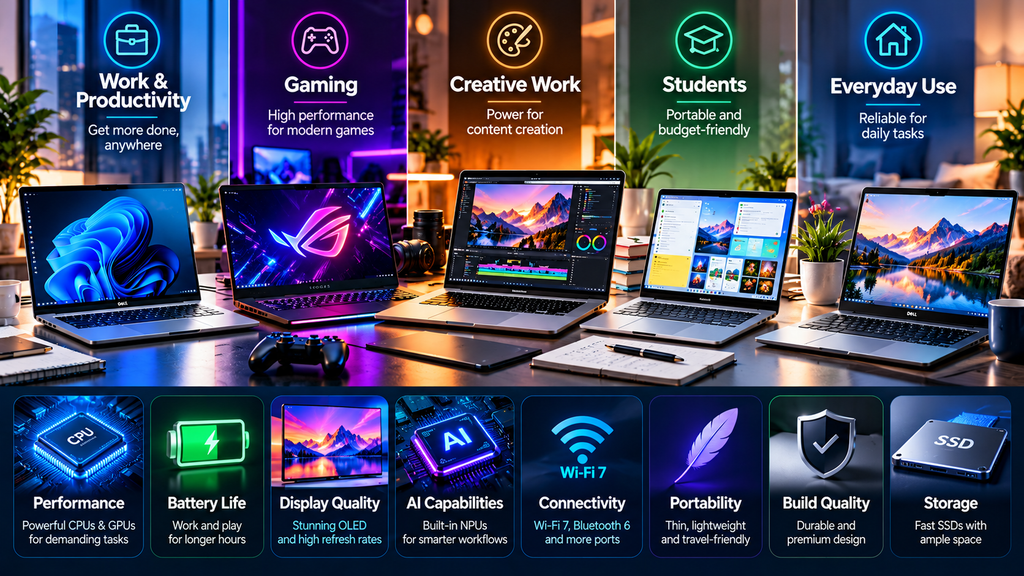
For a new laptop in 2026, 16GB should generally be considered the practical starting point for mainstream productivity.
It provides enough headroom for modern browsers, office applications, video calls and moderate multitasking.
Users running development tools, virtual machines, large creative projects or heavier AI workloads should consider 32GB.
64GB or more is primarily useful for demanding professional workloads.
One important factor is upgradeability.
Many thin laptops use soldered memory that cannot be upgraded after purchase.
Choose the memory configuration carefully before buying.
How Much Storage Do You Need?
A 512GB SSD is a comfortable starting point for most users.
Students and cloud-first users may be able to work with less, but storage requirements grow quickly when local photo libraries, videos, games or development environments are involved.
Creators and gamers should consider 1TB or more.
Professional video workflows may require 2TB or significantly more storage, although external SSDs and network storage can reduce the need for expensive internal capacity.
OLED vs. LCD Laptop Displays
OLED displays provide deep blacks, high contrast and excellent color reproduction.
They are especially attractive for movies, photography and creative work.
Several laptops in this guide — including configurations of the ROG Zephyrus G14, Galaxy Book6 Pro and HP OmniBook Ultra — use OLED technology.
LCD panels still have advantages.
They can be less expensive, provide excellent brightness and avoid some of the long-term image-retention considerations associated with OLED.
The right display depends on how the laptop will be used.
Windows on Arm in 2026
Snapdragon laptops have become a significant part of the Windows market.
Modern devices such as Surface Laptop and HP OmniBook Ultra demonstrate how Arm processors can deliver long battery life while also supporting dedicated AI processing.
For common applications, browsers and Microsoft 365 workloads, the experience can be excellent.
The remaining concern is specialized compatibility.
Before purchasing an Arm laptop, check any software that depends on unusual drivers, specialist hardware or older plug-ins.
AI PCs: Do You Actually Need One?
AI processing is becoming standard across premium laptops.
Apple M-series processors, Intel Core Ultra, AMD Ryzen AI and Qualcomm Snapdragon platforms all include specialized hardware for machine-learning workloads.
However, buyers should not choose a computer based only on an NPU TOPS number.
A laptop still needs good:
CPU performance.
Memory capacity.
Storage.
Display quality.
Battery life.
Cooling.
Keyboard and trackpad.
Connectivity.
AI hardware is useful, but it is only one component of the overall experience.
You can also explore our guide to the best AI tools for productivity in 2026 to see how modern AI software can benefit from newer laptop hardware.
Gaming Laptop vs. Productivity Laptop
Gaming laptops prioritize graphics performance and cooling.
That usually means more weight, larger chargers and shorter battery life during intensive use.
Productivity laptops prioritize portability, silence and efficiency.
Integrated graphics have improved considerably, but they do not eliminate the advantage of powerful dedicated GPUs for demanding games.
If gaming is occasional, a modern productivity laptop may be sufficient.
If gaming is a major priority, buy a machine designed for it.
Frequently Asked Questions
What are the best laptops in 2026?
Strong options include the MacBook Air M5, Surface Laptop, Dell XPS 14, ThinkPad X1 Carbon Gen 14, Galaxy Book6 Pro, HP OmniBook Ultra, MacBook Pro, ROG Zephyrus G14, LG gram Pro and Acer Swift Go 14 AI.
The right choice depends on workload rather than a single universal ranking.
What laptop is suitable for everyday use?
MacBook Air M5, Surface Laptop and Acer Swift Go 14 AI are all aimed at mainstream productivity and everyday computing.
Which laptop is suitable for gaming?
The ROG Zephyrus G14 stands out in this group because it offers dedicated NVIDIA GeForce RTX graphics and a high-refresh-rate OLED display.
Which laptop is suitable for business?
The ThinkPad X1 Carbon Gen 14 is designed specifically around business mobility, enterprise productivity, connectivity and maintainability.
Which laptop is suitable for creators?
MacBook Pro and Dell XPS 14 are strong professional choices, while the Zephyrus G14 can suit creators who also need high-end NVIDIA graphics.
Is 16GB RAM enough in 2026?
For most everyday users, yes.
Users running demanding professional software, development environments, virtual machines or large creative projects should consider 32GB or more.
Is 512GB storage enough?
For general productivity, 512GB is usually sufficient.
Gaming, photography and video editing can require much more space.
Should I buy an AI laptop?
Do not buy a laptop solely because it is labeled an AI PC.
Evaluate battery life, processor performance, display quality, memory, storage and software compatibility first.
Should I buy Windows or Mac?
Choose based on the applications and ecosystem you actually use.
macOS works particularly well for users already invested in Apple products and many creative workflows.
Windows provides much broader hardware variety and remains the primary platform for PC gaming and many enterprise applications.
Final Thoughts
The best laptops in 2026 are increasingly specialized around different kinds of users.
MacBook Air M5 emphasizes portability, efficiency and simplicity.
Surface Laptop provides a polished Windows productivity experience.
Dell XPS 14 combines premium design with professional capabilities.
ThinkPad X1 Carbon Gen 14 focuses on business mobility.
Galaxy Book6 Pro combines an excellent display with Samsung ecosystem features.
HP OmniBook Ultra demonstrates the growing potential of high-efficiency Snapdragon AI PCs.
MacBook Pro targets sustained professional workloads.
ROG Zephyrus G14 brings serious gaming performance into a compact chassis.
LG gram Pro provides large-screen productivity without traditional laptop weight.
Acer Swift Go 14 AI offers a balanced path into modern Copilot+ computing.
Rather than searching for one laptop that is supposedly best for everyone, identify the tasks you perform most often and choose the machine built around those priorities.
A laptop that matches your workload will usually remain useful much longer than one purchased simply because it has the newest processor or the longest specification sheet.
Sources and Further Reading
- Apple — MacBook Air with M5 (2026)
- Microsoft — Surface Laptop, 8th Edition
- Dell — XPS 14 Laptop
- Lenovo — ThinkPad X1 Carbon Gen 14 Aura Edition
- Samsung — Galaxy Book6 Pro
- HP — OmniBook Ultra 14 Next Gen AI PC
- Apple — MacBook Pro with M5 Pro and M5 Max
- ASUS ROG — Zephyrus G14 (2026)
- LG — 2026 LG gram Laptop Lineup
- Acer — Swift Go 14 AI








Comments 1