
Video editing software has changed dramatically.
In 2026, modern editors do far more than cut clips and add transitions. Artificial intelligence now assists with transcription, captions, media search, masking, object tracking, audio cleanup, reframing, rough cuts, generated media, and even complete editing workflows.
At the same time, traditional editing fundamentals still matter.
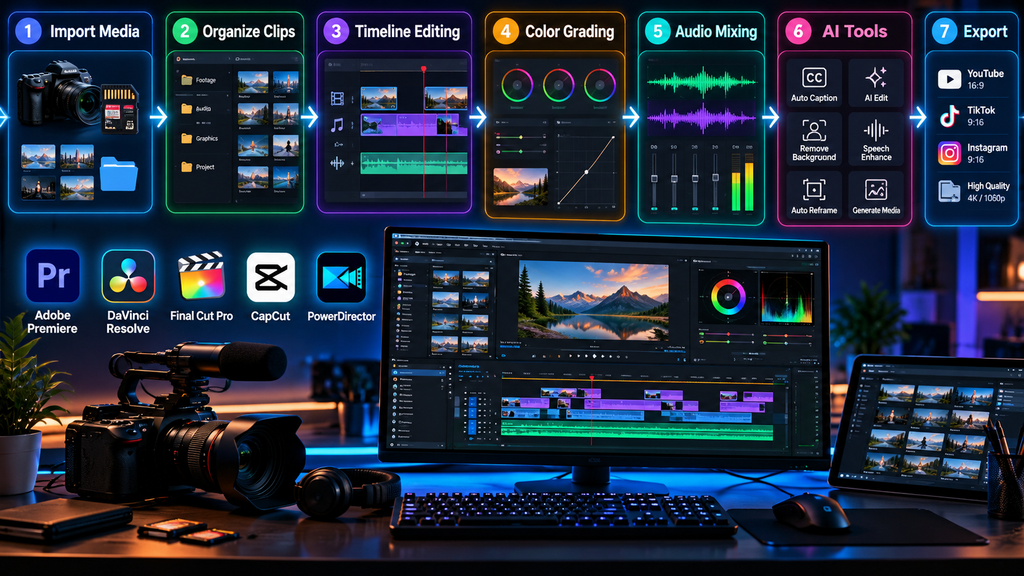
A good video editor needs a responsive timeline, reliable media management, strong color tools, flexible audio controls, efficient export options, and support for the formats creators actually use.
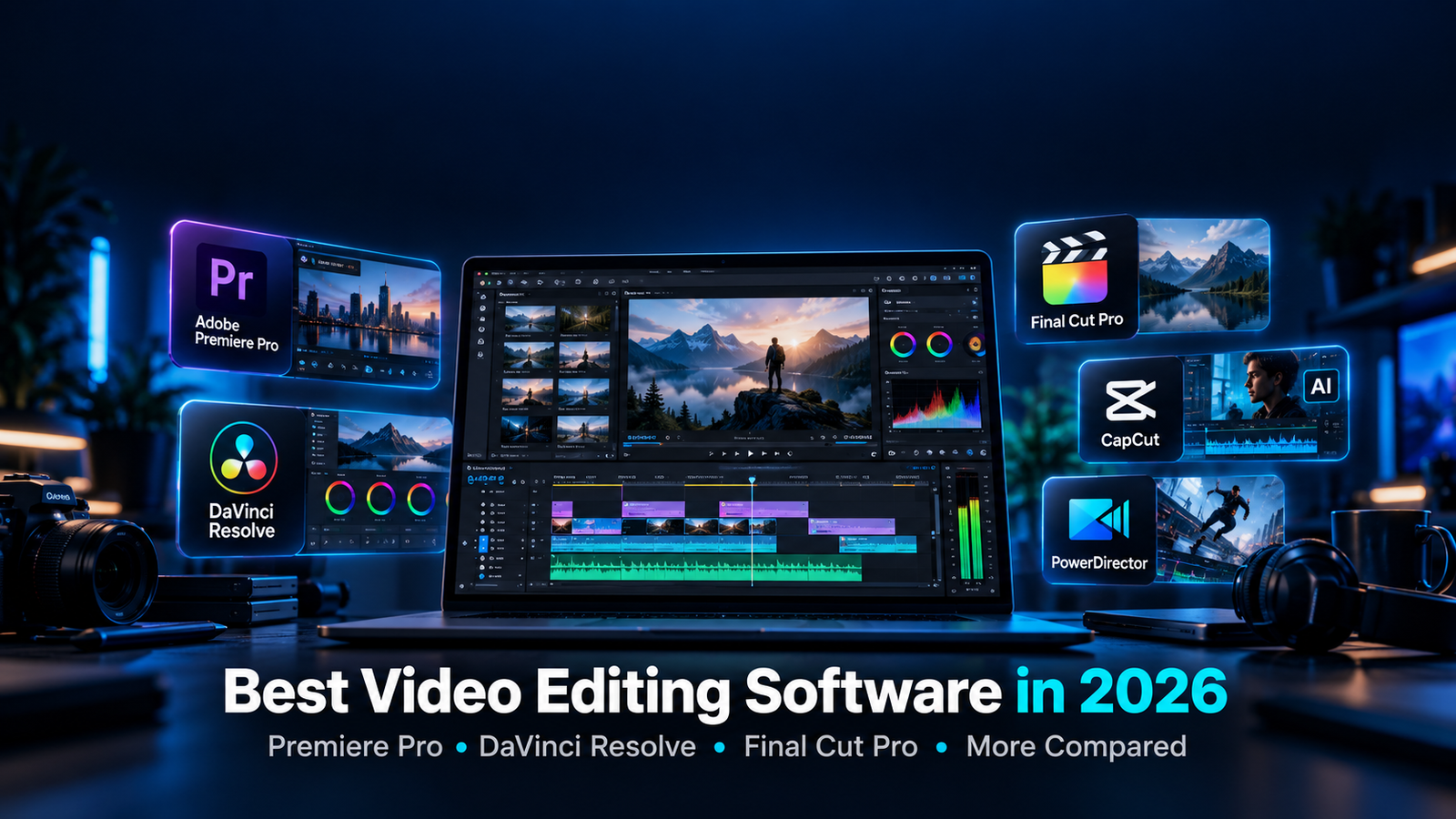
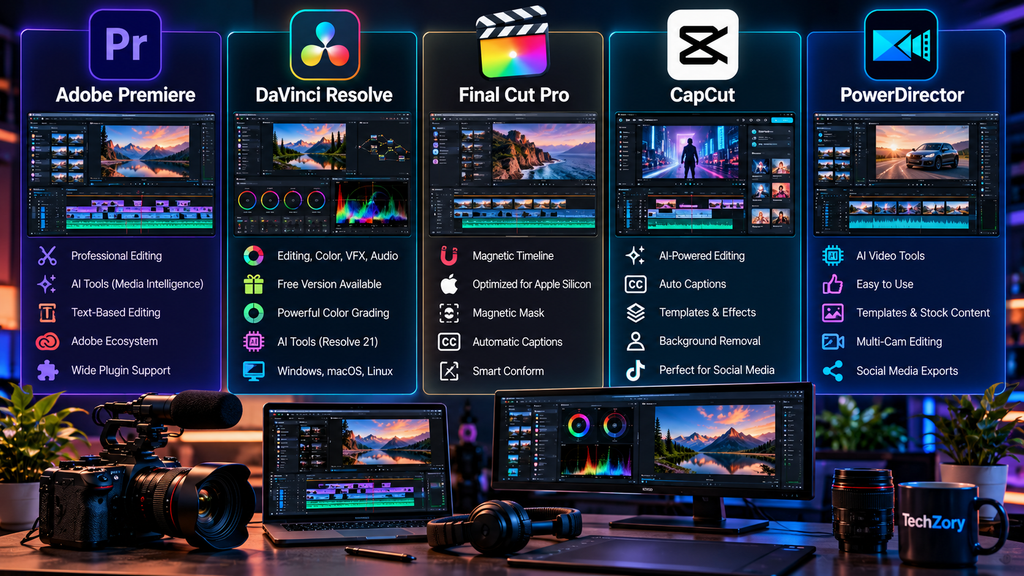
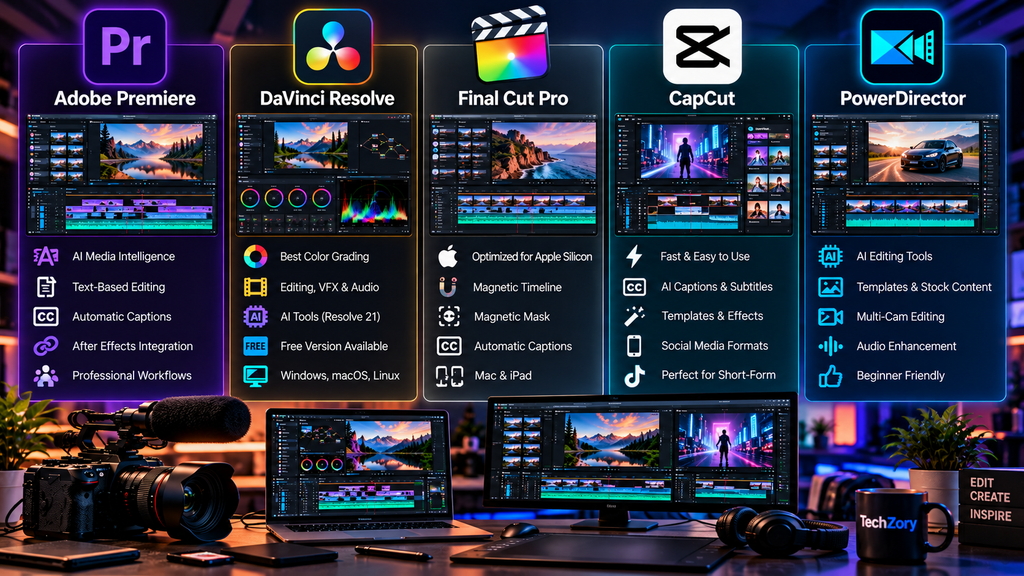
Adobe Premiere, DaVinci Resolve, Final Cut Pro, PowerDirector, and CapCut approach these requirements differently.
Some are designed around professional post-production workflows.
Others prioritize speed, accessibility, social content, AI assistance, or integration with a specific hardware ecosystem.
This guide compares the major video editing platforms available in 2026 and explains which features matter most before choosing one.
Table of Contents
Best Video Editing Software in 2026: Quick Overview
| Software | Platforms | Licensing Model | Key Strength |
|---|---|---|---|
| Adobe Premiere | Windows, macOS | Subscription | Professional editing, integrations, AI workflows |
| DaVinci Resolve 21 | Windows, macOS, Linux | Free + Studio | Editing, color, VFX, audio in one application |
| Final Cut Pro | macOS, iPad | Subscription or Mac one-time purchase | Apple silicon performance and Magnetic Timeline |
| PowerDirector 365 | Windows, macOS | Subscription | Accessible editing with extensive AI tools |
| CapCut Desktop | Desktop and mobile ecosystem | Free + paid features | Fast social and short-form content creation |
Pricing and included features can change by region and subscription plan.
For that reason, the right editor should be chosen based on workflow rather than price alone.
1. What Makes Good Video Editing Software in 2026?
Video editors now serve very different types of creators.
A filmmaker working with RAW footage has different requirements from a YouTube creator producing weekly videos.
A social media creator may prioritize automatic captions and vertical templates.
A business user may care more about quick edits, screen recordings, and simple exports.
Important factors include:
- Editing performance
- Timeline design
- Media organization
- Color grading
- Audio editing
- AI-assisted tools
- Multicam support
- Motion graphics
- Visual effects
- Subtitle generation
- Format compatibility
- GPU acceleration
- Collaboration
- Export options
- Plugin ecosystem
- Learning curve
- Pricing model
No single editor is ideal for every workflow.
2. Professional Editing and Easy Editing Are Different Goals
Professional editing applications usually provide more control.
That control can also create a steeper learning curve.
Simpler applications often reduce the number of technical decisions users need to make.
Neither approach is automatically better.
A beginner who needs to publish three social videos every week may work faster with a simpler editor.
A filmmaker managing complex multicamera footage, advanced color grading, and detailed audio mixing may need a deeper professional platform.
The right editor is the one that matches the project.
3. Adobe Premiere in 2026
Adobe Premiere remains one of the major professional non-linear editing platforms.
Adobe Premiere’s current September 2026 release line is version 26.5, with maintenance updates through version 26.5.2.
Premiere combines traditional timeline editing with increasingly sophisticated AI-assisted tools.
It is widely used for:
- YouTube production
- Commercial video
- Corporate content
- Documentary work
- Social media
- Multicam editing
- Professional post-production
Its biggest advantage is not one individual feature.
It is the combination of editing tools, Adobe ecosystem integration, plugins, collaboration, and broad professional adoption.
4. Adobe Premiere Timeline Editing
Premiere uses a traditional track-based editing interface.
Video and audio clips are arranged across multiple tracks.
Editors can:
- Trim clips
- Ripple edit
- Roll edit
- Slip and slide edits
- Add transitions
- Adjust speed
- Create nested sequences
- Edit multicamera footage
- Apply keyframes
- Work with multiple audio tracks
This structure is familiar to many professional editors and translates well to complex projects.
5. Premiere Media Intelligence
One of Premiere’s increasingly important AI capabilities is Media Intelligence.
Instead of manually searching through large amounts of footage, editors can describe what they are looking for using natural language.
For example, an editor may search for footage containing a specific object, action, or visual situation.
This can reduce the time required to organize large projects.
For documentary, event, interview, and commercial workflows, intelligent media search can become particularly valuable.
6. Premiere Generative Media Tools
Premiere increasingly integrates generative tools directly into the editing workflow.
The 2026 releases allow editors to generate certain video or sound elements from prompts without leaving the timeline.
Generated material can then be treated as editable media inside the sequence.
This can help with tasks such as:
- Creating temporary visual material
- Filling selected timeline needs
- Generating sound effects
- Supporting rough-cut development
- Experimenting with creative ideas
AI-generated material should still be reviewed carefully before final publication.
7. Premiere Paper Edit
Premiere 26.5 also expands text-based editing.
Paper Edit allows editors to work from transcripts and selected text.
Editors can select lines from a transcript and use them to help assemble a sequence.
This can be particularly useful for:
- Interviews
- Podcasts
- Documentaries
- Educational videos
- Talking-head content
Text-based workflows can significantly reduce the time needed to create an initial rough cut.
8. Premiere Captions and Social Video
Premiere includes tools for automatically generating captions.
Recent versions have expanded caption styling for short-form video workflows.
Editors can create caption styles designed for:
- YouTube
- TikTok
- Shorts
- Reels
Automatic transcription does not remove the need for proofreading.
Names, technical terminology, accents, and noisy recordings can still produce errors.
9. Premiere and the Adobe Ecosystem
Premiere becomes more powerful when combined with other Adobe applications.
Common integrations include:
- After Effects
- Photoshop
- Audition
- Media Encoder
- Frame.io
- Adobe Stock
- Firefly
Dynamic Link workflows can help move compositions between Premiere and After Effects without relying entirely on intermediate renders.
For professional creative teams already using Adobe products, this ecosystem can be a major advantage.
10. Who Should Consider Adobe Premiere?
Premiere is particularly relevant for:
- Professional editors
- YouTube production teams
- Agencies
- Freelancers
- Businesses
- Documentary editors
- Adobe Creative Cloud users
- Editors using After Effects
Its subscription model should be considered as part of the decision.
Users who prefer one-time purchases may prefer another platform.
11. DaVinci Resolve 21
DaVinci Resolve has evolved far beyond its origins as a color-grading application.
DaVinci Resolve 21 combines:
- Editing
- Color grading
- Motion graphics
- Visual effects
- Audio post-production
- Media management
- Collaboration
into one application.
It is available on Windows, macOS, and Linux.
Blackmagic Design offers both a free edition and the expanded DaVinci Resolve Studio edition.
12. DaVinci Resolve Free vs. Studio
The free edition of DaVinci Resolve is unusually capable.
It provides professional editing, color, audio, and effects tools without requiring a subscription.
DaVinci Resolve Studio adds additional capabilities such as:
- Expanded AI tools
- Additional Resolve FX
- More advanced HDR features
- Enhanced noise reduction
- Higher-resolution and frame-rate workflows
- Additional GPU acceleration
- Professional stereoscopic tools
The exact value of Studio depends on the type of work being produced.
Many individual creators can accomplish substantial projects using the free edition.
13. DaVinci Resolve 21 Editing
Resolve includes both Cut and Edit pages.
The Cut page is designed for speed.
The Edit page provides a more traditional professional editing interface.
Editors can work with:
- Multicam footage
- Keyframes
- Transitions
- Compound clips
- Subtitles
- Multiple timelines
- Proxy media
- Advanced trimming
This allows Resolve to serve both fast-turnaround creators and complex professional projects.
14. DaVinci Resolve 21 AI Features
Resolve 21 expands Blackmagic’s use of artificial intelligence.
AI features can assist with tasks such as:
- Searching media
- Reading slate information
- Tracking
- Subtitle workflows
- Audio processing
- Visual cleanup
- Masking
- Media organization
Some advanced AI features require the Studio edition.
AI tools are increasingly being used to accelerate repetitive tasks rather than replace manual editorial decisions.
15. DaVinci Resolve Color Grading
Color grading remains one of Resolve’s defining strengths.
The Color page provides node-based grading controls.
Editors and colorists can work with:
- Primary color correction
- Curves
- Qualifiers
- Power windows
- Tracking
- HDR grading
- LUTs
- Color management
- Secondary corrections
Node-based grading gives users significant control over complex color workflows.
16. DaVinci Resolve Fusion
Fusion is integrated directly into Resolve.
It provides node-based visual effects and motion graphics.
Fusion can be used for:
- Compositing
- Motion graphics
- Green-screen work
- Tracking
- Titles
- Particle effects
- Rotoscoping
- 3D compositions
This reduces the need to move certain visual-effects projects into a separate application.
17. DaVinci Resolve Fairlight
Fairlight handles audio post-production inside Resolve.
It includes tools for:
- Dialogue editing
- Mixing
- EQ
- Compression
- Noise processing
- Automation
- Multitrack audio
- Sound effects
- Voice recording
For creators who want video, color, effects, and audio inside one environment, this integration is particularly attractive.
18. Who Should Consider DaVinci Resolve?
DaVinci Resolve is well suited to:
- Filmmakers
- Colorists
- Professional editors
- YouTube creators
- Independent creators
- Users who dislike subscriptions
- Users who need Windows, macOS, or Linux support
- Editors who want integrated audio and visual effects
Its large feature set can make the learning curve substantial for beginners.
19. Final Cut Pro in 2026
Final Cut Pro is Apple’s professional video editing application.
It is designed specifically around Apple hardware and software.
In 2026, Final Cut Pro is available through Apple Creator Studio and also remains available as a one-time purchase on Mac.
Apple continues optimizing Final Cut Pro for Apple silicon.
This close hardware-software integration can provide very strong performance on supported Mac systems.
20. Final Cut Pro Magnetic Timeline
Final Cut Pro uses a Magnetic Timeline rather than a traditional fixed-track approach.
Clips connect dynamically.
Moving one part of the edit can automatically keep related material synchronized.
For editors accustomed to traditional tracks, this can initially feel unfamiliar.
For users who adapt to it, the Magnetic Timeline can make certain editing workflows extremely fast.
21. Final Cut Pro Magnetic Mask
Magnetic Mask uses machine learning to identify and isolate people, objects, and shapes.
This can reduce the need for manual rotoscoping.
Typical uses include:
- Isolating a subject
- Applying selective color adjustments
- Creating stylized effects
- Changing backgrounds
- Highlighting specific objects
Results still depend on footage complexity.
Fine details, motion blur, overlapping subjects, and difficult lighting can require additional work.
22. Final Cut Pro Automatic Captions
Final Cut Pro can analyze spoken audio and generate captions.
This helps creators prepare content for:
- YouTube
- Social media
- Educational videos
- Interviews
- Business presentations
Automatic caption generation saves time, but captions should still be manually reviewed before publication.
23. Final Cut Pro Smart Conform
Video is increasingly distributed across multiple aspect ratios.
A project may need:
- 16:9 for YouTube
- 9:16 for Shorts or Reels
- 1:1 for selected social feeds
Smart Conform helps reframe material for different formats.
This is particularly useful for creators who distribute the same content across several platforms.
24. Final Cut Pro and Apple Silicon
Final Cut Pro is highly optimized for Apple’s own processors.
Apple silicon systems provide hardware acceleration for many common editing and encoding workloads.
This can improve:
- Playback
- Rendering
- Export
- ProRes workflows
- H.264 workflows
- HEVC workflows
Users working almost entirely on Mac may value this optimization more than cross-platform compatibility.
25. Final Cut Pro, Motion, and Compressor
Apple separates several specialized tasks into companion applications.
Motion focuses on motion graphics and effects.
Compressor provides expanded encoding and delivery controls.
These applications can complement Final Cut Pro for more advanced workflows.
Apple Creator Studio now packages several of Apple’s creative applications together through one subscription option.
26. Who Should Consider Final Cut Pro?
Final Cut Pro is particularly suitable for:
- Mac users
- Apple silicon users
- YouTube creators
- Independent filmmakers
- Editors who prefer the Magnetic Timeline
- Creators working heavily with Apple formats
- Users who prefer a Mac one-time purchase option
The largest limitation is platform availability.
Windows and Linux users cannot build their editing workflow around Final Cut Pro.
27. PowerDirector 365
PowerDirector takes a different approach from Premiere, Resolve, and Final Cut.
CyberLink focuses heavily on making advanced editing tools accessible to a wider range of creators.
PowerDirector 365 combines:
- Timeline editing
- Templates
- Effects
- Stock content
- AI tools
- Audio tools
- Social-media exports
The software targets users who want more control than very basic editors provide without necessarily adopting the full complexity of traditional professional post-production software.
28. PowerDirector AI Editing
PowerDirector has expanded aggressively into AI-assisted editing.
Current tools include features designed to:
- Generate video from prompts
- Create images
- Generate music
- Translate voices
- Create captions
- Improve speech
- Remove noise
- Assist with storytelling
- Automate rough edits
The platform also includes conversational and agent-style editing tools.
These features are particularly relevant to creators producing frequent online content.
29. PowerDirector Traditional Editing Tools
PowerDirector still includes conventional editing capabilities.
These include:
- Multicam editing
- Keyframes
- Green screen
- Video stabilization
- Speed controls
- Color matching
- Blending modes
- Motion graphics
- Audio ducking
- Screen recording
This makes it more than an AI-only content generator.
Users can manually refine projects after automated tools create a starting point.
30. PowerDirector 365 vs. PowerDirector 2026
CyberLink offers different licensing approaches.
PowerDirector 365 focuses on the subscription model and receives ongoing features and content.
Standalone 2026 versions are also available in selected editions.
Some cloud, stock-media, AI, and continuously updated features are tied more closely to subscription plans.
Users should compare the current feature matrix before choosing a license.
31. Who Should Consider PowerDirector?
PowerDirector can make sense for:
- YouTube creators
- Social media creators
- Beginners moving beyond simple editors
- Business users
- Educators
- Users who want templates
- Creators interested in AI-assisted workflows
It can provide a middle ground between very simple social editors and deeper professional systems.
32. CapCut Desktop
CapCut has become closely associated with fast social-video creation.
The desktop editor expands that workflow beyond phones.
CapCut emphasizes speed, automation, templates, subtitles, and AI-assisted content creation.
It is particularly popular for vertical and short-form content.
33. CapCut AI Features
CapCut Desktop includes AI-assisted tools such as:
- Script-to-video
- Automatic captions
- Auto reframe
- Background removal
- Text-based workflows
- Filler-word removal
- AI-generated assets
- Automated social editing
These tools can significantly reduce production time for short-form content.
They can also help users who do not have extensive traditional editing experience.
34. CapCut and Social Media Workflows
CapCut’s workflow is strongly aligned with:
- TikTok
- Instagram Reels
- YouTube Shorts
- Promotional videos
- Creator content
- Vertical video
Templates and automated formatting can make frequent publishing easier.
Creators producing cinematic films or highly complex professional projects may eventually require a deeper editing environment.
35. Who Should Consider CapCut?
CapCut is particularly relevant for:
- Short-form creators
- TikTok creators
- Instagram creators
- Beginners
- Social media teams
- Users who value templates
- Creators needing automatic captions
- Fast-turnaround content
It can also complement a larger professional editor rather than replace it.
36. Adobe Premiere vs. DaVinci Resolve
Premiere and Resolve overlap heavily but approach the workflow differently.
Premiere’s major strengths include:
- Adobe ecosystem integration
- After Effects workflows
- Broad plugin support
- Text-based workflows
- AI media tools
- Professional collaboration
Resolve emphasizes:
- Integrated color grading
- Integrated audio
- Integrated visual effects
- A highly capable free edition
- Cross-platform support
- One-time Studio licensing
Users already paying for Creative Cloud may naturally prefer Premiere.
Users who want one application for editing, grading, audio, and effects may prefer Resolve’s structure.
37. Premiere vs. Final Cut Pro
The biggest difference begins with the timeline philosophy.
Premiere uses traditional tracks.
Final Cut uses the Magnetic Timeline.
Premiere works on Windows and macOS.
Final Cut is centered on Apple’s ecosystem.
Premiere connects deeply with After Effects and other Adobe software.
Final Cut benefits from particularly close optimization with Apple silicon.
The better workflow depends heavily on platform and editing style.
38. DaVinci Resolve vs. Final Cut Pro
Both can handle sophisticated professional projects.
Resolve provides broader operating-system support and deeper integrated color and audio environments.
Final Cut offers a workflow specifically designed around Mac hardware and the Magnetic Timeline.
Mac users can realistically choose either.
Windows and Linux users are effectively limited to Resolve between these two options.
39. PowerDirector vs. CapCut
PowerDirector generally provides a deeper traditional editing environment.
CapCut places stronger emphasis on fast social-content workflows.
PowerDirector may be more suitable when projects require:
- More timeline control
- Multicam workflows
- Longer videos
- Detailed manual adjustments
CapCut can be attractive when speed and social publishing are the primary requirements.
40. Which Editor Is Better for Beginners?
Beginners should consider how much complexity they actually need.
CapCut provides one of the quickest paths to producing social content.
PowerDirector offers a relatively approachable route into more traditional timeline editing.
Final Cut Pro can become fast once users understand the Magnetic Timeline.
Premiere and Resolve provide deep professional capabilities but generally require more learning.
A beginner planning a long-term professional editing career should not necessarily avoid complex software.
Learning a deeper tool may pay off over time.
41. Which Editor Is Better for YouTube?
All five editors can create YouTube videos.
The decision depends on production complexity.
For straightforward videos, CapCut or PowerDirector may provide everything required.
Premiere is attractive for creators who also use Photoshop and After Effects.
Resolve provides a strong all-in-one environment.
Final Cut Pro performs particularly well for Mac-based creators.
Channel size alone should not determine the editor.
Workflow complexity matters more.
42. Which Editor Is Better for Short-Form Video?
Short-form creators commonly need:
- Automatic captions
- Vertical timelines
- Templates
- Fast reframing
- Quick effects
- Social exports
CapCut emphasizes this workflow heavily.
PowerDirector also provides numerous social-oriented and AI-assisted features.
Premiere, Resolve, and Final Cut can all produce excellent vertical content but may provide more complexity than some short-form creators require.
43. Which Editor Is Better for Professional Film Work?
Professional film workflows often require:
- Reliable media management
- Advanced color
- Multicam editing
- Professional audio
- High-end codecs
- Collaboration
- VFX integration
- Delivery controls
Premiere, Resolve, and Final Cut all serve professional work.
Resolve is particularly notable for integrated grading and finishing.
Premiere benefits from Adobe’s wider production ecosystem.
Final Cut can provide excellent performance for Mac-centered productions.
The surrounding production environment matters as much as the editor itself.
44. Which Editor Is Better for Color Grading?
Color grading is a major part of high-quality post-production.
DaVinci Resolve has particularly deep grading tools integrated directly into its Color page.
Premiere and Final Cut also provide professional color correction and grading controls.
For basic YouTube or social content, all major editors can handle normal color correction.
For advanced cinematic grading, Resolve’s specialized workflow deserves particular attention.
45. Which Editor Is Better for Motion Graphics?
Premiere can integrate closely with After Effects.
Final Cut can work with Apple’s Motion application.
Resolve includes Fusion.
PowerDirector provides templates and motion-graphics tools directly inside its environment.
The correct choice depends on whether the creator wants:
- Template-based graphics
- Custom animation
- Node-based compositing
- Adobe After Effects integration
- Apple Motion integration
Motion-graphics requirements can significantly influence the editor choice.
46. Which Editor Is Better for Audio?
Modern video projects require more than background music.
Editors may need:
- Voice cleanup
- Dialogue mixing
- EQ
- Compression
- Noise reduction
- Music mixing
- Multichannel audio
Resolve includes Fairlight as a dedicated professional audio environment.
Premiere integrates with Adobe’s audio tools.
Final Cut provides integrated audio editing and Logic-derived processing.
PowerDirector and CapCut emphasize automated audio cleanup and creator-oriented tools.
47. How Important Are AI Features?
AI can save considerable time.
Useful AI applications include:
- Transcription
- Captions
- Masking
- Object tracking
- Noise reduction
- Media search
- Reframing
- Rough-cut creation
- Speech enhancement
However, an editor should not be chosen only because it has the longest list of AI features.
Timeline performance, reliability, export quality, file management, and manual control remain essential.
AI should accelerate the workflow rather than become the entire workflow.
48. Hardware Requirements Matter
Video editing can be demanding.
Performance depends on:
- CPU
- GPU
- RAM
- Storage speed
- Codec
- Resolution
- Effects
- Color processing
- AI features
4K and higher-resolution projects can place substantial pressure on hardware.
Proxy workflows can make difficult footage easier to edit.
Before choosing software, users should check the current system requirements for their specific computer.
49. GPU Acceleration
Modern editors increasingly use the GPU for:
- Effects
- AI processing
- Decoding
- Encoding
- Color processing
- Noise reduction
- Playback
A powerful GPU can dramatically improve some workflows.
However, not every task scales equally with GPU power.
Apple silicon systems use a different architecture from conventional Windows workstations, so direct hardware comparisons can be misleading.
50. Storage Speed Can Affect Editing
Video projects can involve very large files.
Slow storage can affect:
- Media import
- Playback
- Scrubbing
- Caching
- Proxies
- Export
- Project loading
Fast SSD storage is increasingly important for high-resolution workflows.
Creators should also maintain a separate backup strategy for valuable footage.
Editing from only one drive creates unnecessary risk.
51. Subscription vs. One-Time Purchase
Licensing models differ substantially.
Adobe Premiere primarily uses subscription licensing.
DaVinci Resolve has a free edition and a paid Studio edition.
Final Cut Pro is available through Apple Creator Studio while a one-time Mac purchase remains available.
CyberLink offers subscription and selected standalone PowerDirector editions.
CapCut combines free access with paid functionality.
The cheapest option is not automatically the least expensive over several years.
Long-term cost should be considered.
52. Free Video Editing Software Can Be Extremely Capable
Free software no longer means extremely limited software.
DaVinci Resolve’s free edition can handle serious editing projects.
CapCut provides a substantial free workflow for many creators.
Other platforms commonly provide trials or limited free functionality.
New editors should test software before committing to a long-term subscription.
53. Collaboration Matters for Teams
Professional teams often need more than local project files.
Collaboration may involve:
- Shared projects
- Cloud media
- Comments
- Review links
- Version management
- Remote editors
- Client approval
Premiere integrates with Adobe collaboration tools such as Frame.io.
Resolve supports Blackmagic Cloud workflows.
Other platforms increasingly provide cloud-based collaboration features.
Team workflows should be tested before standardizing on an editor.
54. Plugin Ecosystems
Plugins can expand an editor significantly.
They can provide:
- Transitions
- Effects
- Noise reduction
- Titles
- Color tools
- Audio processing
- Workflow automation
Premiere and Final Cut have established third-party plugin ecosystems.
Resolve also supports extensive third-party workflows and plugins.
Users who depend on a specific plugin should confirm compatibility before changing editors.
55. Switching Video Editors Can Be Expensive
Changing editing software is not only about learning new buttons.
A migration can affect:
- Plugins
- Project files
- Templates
- Keyboard shortcuts
- Media organization
- Team workflows
- Archived projects
Creators should avoid switching tools simply because another application introduces one attractive feature.
Workflow stability has value.
56. What to Check Before Choosing Video Editing Software
Before choosing an editor, ask:
Which operating system do you use?
What type of videos do you create?
Do you work alone or with a team?
Do you need advanced color grading?
Do you need motion graphics?
How important are AI tools?
Do you edit vertical video frequently?
Do you need multicam editing?
Do you prefer subscription or one-time licensing?
Will your computer handle the software comfortably?
Answering these questions can eliminate unsuitable options quickly.
57. A Practical Video Editing Software Guide for 2026
Start with your platform.
Windows users can immediately remove Final Cut Pro from consideration.
Mac users have the widest range of choices.
Linux users should examine DaVinci Resolve particularly closely.
Then consider the type of content.
For complex professional production, examine Premiere, Resolve, and Final Cut.
For an accessible creator-oriented workflow, PowerDirector deserves consideration.
For fast social content, CapCut may provide the most direct workflow.
Next, evaluate hardware requirements and licensing.
Finally, download trials or free versions whenever possible.
The best workflow is the one you can use consistently and efficiently.
Frequently Asked Questions
What is the latest Adobe Premiere version in 2026?
As of October 2026, the latest Adobe Premiere desktop maintenance release is version 26.5.2, while version 26.5 introduced the major September feature updates.
What is the latest DaVinci Resolve version in 2026?
DaVinci Resolve 21 is the current major generation, with Blackmagic continuing to release updates within the Resolve 21 line.
Is DaVinci Resolve free?
Yes. Blackmagic Design provides a capable free edition alongside the paid DaVinci Resolve Studio edition.
Is Final Cut Pro only for Mac?
The professional Final Cut ecosystem is centered on Apple devices, with Final Cut Pro available for Mac and iPad. It is not available as a Windows or Linux editor.
Can Final Cut Pro still be purchased outright?
Yes. Apple continues to offer a one-time-purchase Mac version while also including Final Cut Pro in Apple Creator Studio.
Is Adobe Premiere subscription-only?
Adobe Premiere is primarily distributed through Adobe’s subscription ecosystem.
Is CapCut good for YouTube?
Yes, particularly for straightforward creator workflows and short-form content. More complex productions may benefit from a deeper professional editor.
Is PowerDirector suitable for beginners?
Its interface and automation tools can make it more approachable than some professional editing environments while still providing conventional timeline controls.
Which editor works on Linux?
DaVinci Resolve supports Linux in addition to Windows and macOS.
Do I need a powerful GPU for video editing?
Not for every project, but GPU performance becomes increasingly important when working with high-resolution footage, advanced effects, AI processing, noise reduction, and demanding codecs.
Should beginners learn professional software immediately?
It depends on long-term goals. A simple editor may help someone publish faster, while learning a professional application can reduce the need to switch tools later.
Final Thoughts
Video editing software in 2026 is increasingly defined by the combination of traditional editing control and intelligent automation.
Adobe Premiere continues to combine professional timeline editing with deep Creative Cloud integration and expanding AI-assisted workflows.
DaVinci Resolve 21 provides an unusually complete environment for editing, color grading, visual effects, audio, and finishing, with a highly capable free edition.
Final Cut Pro remains a strong option for creators working inside Apple’s hardware ecosystem, particularly those who value the Magnetic Timeline and Apple silicon optimization.
PowerDirector 365 combines traditional editing with a large collection of automated and AI-assisted tools designed to speed up creator workflows.
CapCut Desktop focuses strongly on fast content creation, social media, automatic captions, and accessible AI-assisted editing.
The right choice depends less on identifying one universal winner and more on matching the software to your operating system, hardware, project complexity, collaboration needs, preferred workflow, and long-term budget.
Sources
- Adobe — Premiere Desktop Release Notes
- Adobe — What’s New in Adobe Premiere
- Blackmagic Design — DaVinci Resolve 21
- Apple — Apple Creator Studio and Final Cut Pro
- Apple — Final Cut Pro and Creator Studio 2026 Updates
- CyberLink — PowerDirector 365 and PowerDirector 2026 Comparison
- CapCut — CapCut Desktop AI-Powered Video Editor